
Multimodal Prompt Engineering Best Practices for Production
Introduction
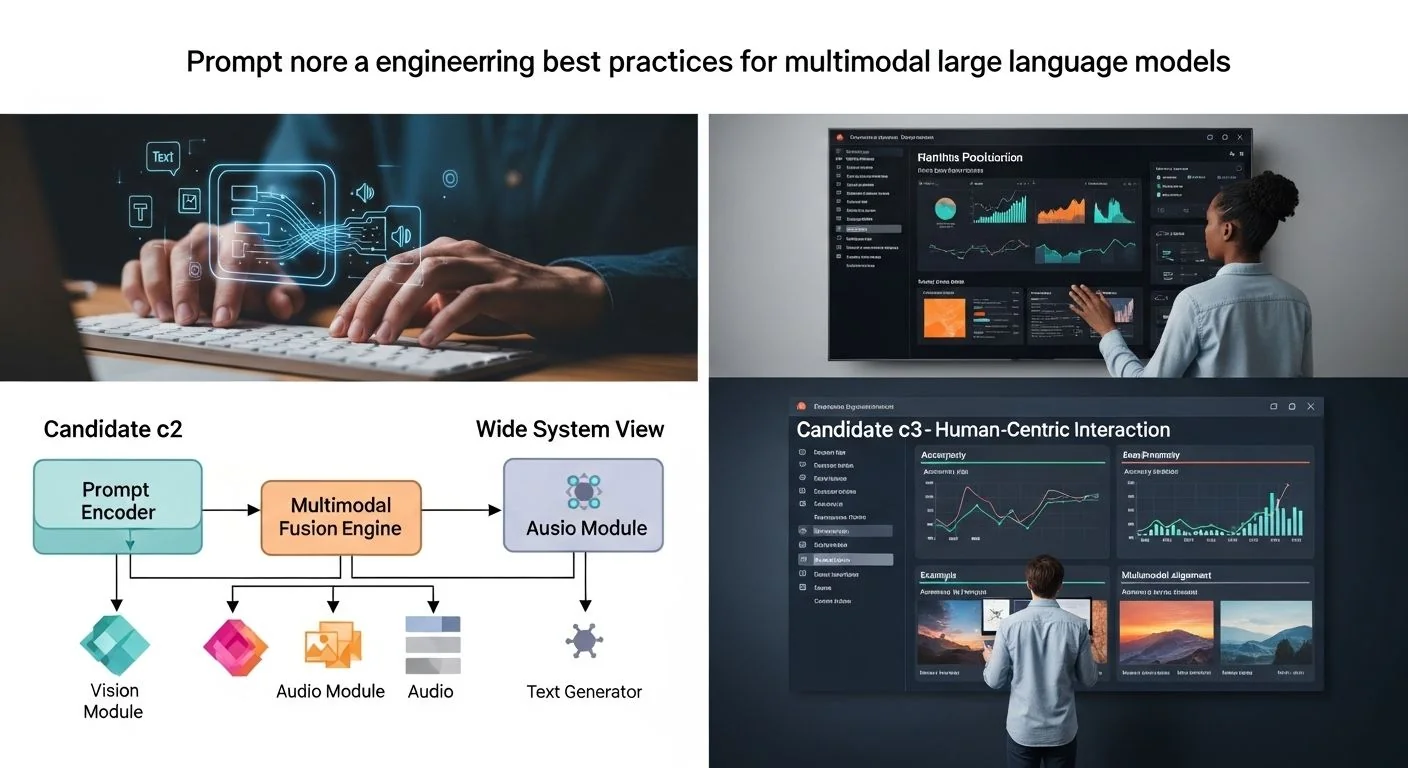
Problem statement: Multimodal systems that combine image and text inputs are powerful but fragile in production — prompts that work in a lab often fail at scale due to ambiguity, distribution shift, and hallucination.
Promise: This article delivers an engineering-first playbook of multimodal prompt engineering best practices, covering architecture, concrete prompt patterns, evaluation checklists, failure diagnostics, and production runbooks you can apply to vision+text LLMs today. For concrete templates and productionized examples, see the production patterns for vision-language prompts.
Failure scenario: A product team ships an image-search assistant that returns confident, incorrect facts (e.g., misidentifies plant species and invents care instructions) for a subset of camera-submitted photos. Customers escalate, trust drops, and rollback is expensive. The root causes often mix inadequate prompt constraints, missing visual context, and absent automated checks that detect hallucination-prone responses.
Executive Summary
TL;DR: Use constrained, scaffolded multimodal prompts with verification steps, structured outputs, and targeted evaluations to reduce hallucinations and make vision+text LLMs production-robust.
- Design prompts that separate perception (what is visible) from inference (what is inferred) and require the model to label uncertainty.
- Standardize multimodal templates: role, context, vision-instructions, response schema, and verification checks.
- Prefer structured outputs (JSON/kv pairs) and run automated post-hoc validators to detect hallucination signatures.
- Use few-shot exemplars that match domain distribution; include negative examples that show what not to infer.
- Measure p95/p99 latency and hallucination rates; instrument per-input provenance and confidence metrics for downstream mitigation.
- Deploy canary experiments with human-in-the-loop verification for high-risk outputs, and maintain a clear rollback/runbook.
Quick Q→A (likely direct answers)
- Q: How do I reduce hallucinations in image+text LLM responses? → A: Constrain the model with explicit perceptual directives, require citations to visible evidence, use structured outputs, and add an automated verifier that checks for unsupported claims.
- Q: Should prompts include role and persona for multimodal models? → A: Yes — a tightly scoped role plus expected output schema reduces ambiguity; embed persona only when it materially affects style and not facts.
- Q: How many exemplars in few-shot templates for multimodal tasks? → A: Typically 3–8 domain-specific examples; evaluate diminishing returns at p95 response quality and add targeted negative examples for edge cases.
How Prompt engineering best practices for multimodal large language models Works Under the Hood
Modern multimodal LLMs combine a visual encoder (CNN/transformer) and a language model, usually via a projection layer or cross-attention module. The visual encoder converts images to embeddings; the LLM conditions on these embeddings plus text tokens to generate an output sequence. Architecturally, three common coupling patterns appear:
- Early fusion: Visual features are integrated into token embeddings before substantial language decoding. Good for tightly coupled vision-language tasks but can entangle perception and reasoning.
- Cross-attention fusion: The language model attends to visual keys/values during decoding. This offers flexible context injection and is common in commercial multimodal LLMs.
- Two-stage pipelines: A perception model (object detection / captioner) produces a textual intermediate, which a pure LLM consumes. Simpler to manage and easier to validate but adds compounding errors.
Prompt engineering sits at the interface between user intent and model conditioning. Effective prompts do three things under the hood:
- Constrain hypothesis space: restrict what the LLM can reasonably infer from visual data.
- Provide scaffolding: few-shot exemplars, role definitions, and explicit output schemas shape token generation probabilities toward desired formats.
- Enable verification: ask the model to identify evidence and uncertainty, producing artifacts (e.g., bounding boxes or token-level provenance) that post-processors can validate.
Textual prompt elements are therefore not just natural language but programmatic specifications for the LLM's conditional distribution. Treat prompts as code: deterministic as possible, testable, and versioned.
Implementation: Production Patterns
Below are graduated patterns: from basic usable templates to advanced verification and optimization. Examples use a generic multimodal LLM API (image + prompt → response). For additional production guidance and templates, consult the production patterns for vision-language prompts referenced throughout.
1) Basic: Minimal structured prompt template
When you need consistent outputs quickly, require a concise schema and a label for uncertainty.
System: You are a visual assistant. Answer only what you can see in the image.
User: Image: [image_attachment]
Task: Identify the main object and describe up to 3 visible attributes (color, material, visible damage).
Output schema (JSON): {"object":string, "attributes": [string], "confidence": "high|medium|low", "evidence": [string]}

Example:
{"object":"bicycle","attributes":["red frame","flat tire"],"confidence":"medium","evidence":["red frame visible on left","rear tire appears deflated"]}
Notes: Enforce strict JSON to make downstream parsing reliable. Make the “answer only what you can see” constraint explicit.
2) Intermediate: Few-shot + negative exemplars
Include 4–6 short examples that cover typical and failure cases (e.g., occluded objects, low-light photos). Negative exemplars show the model how to abstain.
System: You are a careful visual analyst. Only infer intent when there is clear visual evidence.
Examples:
#1: Image: [car.jpg] → {"object":"car","attributes":["blue","rear bumper dent"],"confidence":"high","evidence":["license plate readable","rear bumper dent visible"]}
#2 (negative): Image: [blurry_shirt.jpg] → {"object":"unknown","attributes":[],"confidence":"low","evidence":["image too blurry to identify shirt brand"]}

User: Image: [image_attachment]
Task: ... (same schema)
3) Advanced: Chain-of-Verification + attention to vision tokens
Use an explicit verify step. The pattern: (A) Visual summary, (B) Claim generation, (C) Evidence mapping, (D) Self-certification.
System: You will produce 3 sections in JSON: percepts, claims, verification.
1) percepts: concise visual detections
2) claims: inferred facts (only if supported)
3) verification: for each claim list image regions or "not supported"

User: Image: [image_attachment]
Output example:
{
  "percepts": [{"label":"cat","bbox":[100,50,250,220],"score":0.92}],
  "claims": [{"text":"The cat is a tabby","supported":false}],
  "verification":[{"claim_index":0,"evidence":"not supported"}]
}
Operationalizing this requires the model or a companion perception model to return coordinates or token indices. If your LLM supports multimodal grounding (region-level attention), include a clause asking for region references.
4) Error handling & fallback
- When confidence < threshold: return "abstain" and route to human review.
- When detection coverage is low (e.g., image area with no objects): reply with a specific remediation (e.g., "Please provide a close-up in good lighting").
- Log full prompt + response + embeddings for offline analysis of failure clusters.
Code: Example Python client pattern
from typing import Dict, Any

def build_prompt(image_id: str, examples: list) -> str:
    template = (
        "System: You are a visual assistant. Answer only what you can see.\n"
        "Examples:\n"
    )
    for ex in examples:
        template += ex + "\n"
    template += f"User: Image: [{image_id}]\nTask: Return JSON as specified."
    return template

# pseudo-call to multimodal API
payload = {
    "image": open("photo.jpg","rb"),
    "prompt": build_prompt("photo.jpg", examples)
}
# response = multimodal_client.analyze(payload)
Adapt the code sample to your provider's SDK. Always bundle the prompt and a version identifier for reproducibility.
Comparisons & Decision Framework
Choose a prompting approach based on three axes: fidelity (accuracy of perception), transparency (traceability of claims), and latency. Below is a concise decision checklist.
- Need high fidelity + traceability: Two-stage pipeline (detector/captioner → LLM) with region references and verifier. Trade-off: higher latency and compounding error potential but easier to validate.
- Need low latency + high fluency: Cross-attention fusion model with a concise structured prompt. Trade-off: debugging can be harder because perceptual signals are opaque inside embeddings.
- High-risk domain (medical, legal): Mandatory human-in-the-loop and strict abstention thresholds; prefer two-stage with deterministic perception models.
Selection checklist (yes/no):
- Is the output safety-critical? → If yes, require abstention + human review.
- Is real-time latency < 500ms required? → If yes, favor single-stage fusion models with optimized prompts and caching.
- Do you need region-level justification? → If yes, ensure model or pipeline supports bounding boxes or explicit evidence tokens.
Failure Modes & Edge Cases
Common failure modes, diagnostics, and mitigations:
- Hallucination (unsupported facts): Diagnostic: claims lack evidence array or evidence points to unrelated regions. Mitigation: force evidence mapping, use negative exemplars, run a semantic match between claim tokens and caption tokens with thresholded similarity.
- Overconfident but wrong: Diagnostic: high-confidence labels where perceptual score < 0.6. Mitigation: calibrate model confidence using temperature scaling or a lightweight classifier that learns to predict correctness from logits + image features.
- Format drift (broken JSON): Diagnostic: parse errors during ingestion. Mitigation: enforce schema checkers, provide strict output examples, and if needed, wrap the model's output in a wrapper that extracts the first JSON blob.
- Distribution shift (new camera sensors): Diagnostic: abrupt drop in p95 quality for specific device metadata. Mitigation: device-aware branching in prompt templates and device-specific few-shot examples.
- Privacy leaks (sensitive text in images): Diagnostic: model returns PII read from image. Mitigation: redact or route to compliance workflow; include a safety rule in prompt to flag and abstain on PII or faces unless explicitly permitted.
Performance & Scaling
KPIs to track (examples and targets): For architecture-level cost trade-offs related to shared compute or memory patterns, see the CXL 3.2 pooled memory for AI training: architecture & cost models for context on shared-encoder trade-offs.
- Hallucination rate: fraction of outputs judged unsupported — target < 1% for consumer products, < 0.1% for regulated domains.
- Abstention rate: fraction of cases model abstains — expected 2–10% depending on conservatism.
- Latency p95/p99: end-to-end response time including vision encode and verification. Target p95 < 600ms for interactive apps; p99 < 1.5s for acceptable UX.
- Throughput: images/s per GPU and cost per 1M queries. Optimize by batching visual encodes where possible (O(batch_size * image_encode_cost)).
Monitoring suggestions:
- Instrument per-request provenance: prompt version, exemplar set id, model checkpoint, image metadata.
- Compute semantic similarity between claims and percepts (embedding cosine) and alert when below threshold.
- Use shadow testing: route live traffic to production and parallel sandbox model; compare hallucination and format drift metrics.
Scaling patterns:
- Cache deterministic outputs: Many images are repeated (product photos, logos). Hash image + prompt template and cache verified outputs.
- Edge prefiltering: Do lightweight on-device image heuristics to detect low-quality frames (blur, darkness) and prompt users instead of calling the model.
- Pooled encoder strategy: When using heavy visual encoders, consider shared encoding services (see architecture trade-offs similar to pooled memory discussions) to reduce redundant encodes. For architecture context, see architecture and cost models for pooled memory, which highlight trade-offs in shared compute and IO.
Production Best Practices
Security & privacy:
- Strip EXIF and sensitive metadata unless explicitly required.
- Implement data minimization: only send regions of interest to third-party APIs.
- Audit logs: preserve prompt versions and responses for at least 90 days for incident investigations, with access controls.
Testing & rollout:
- Unit tests: schema validation, hallucination detectors, and edge-case negatives.
- Integration tests: run canonical dataset samples to assert p95 quality and latency thresholds.
- Canary & staged rollout: start with 1–5% traffic with human-in-the-loop review for abstained or low-confidence cases. Increase coverage only after KPI stability.
Operational runbook (example steps for hallucination incident):
- Immediately toggle conservative mode to increase abstention or block the problematic endpoint.
- Capture full provenance for failed requests and flag top-10 offending prompts/images.
- Run automated semantic checks; if systemic prompt failure, revert to last-known-good prompt template.
- Schedule root cause analysis: check for model checkpoint drift, dataset distribution changes, or third-party API version changes.
Further Reading & References
Primary sources and recommended reading to deepen implementation and architecture knowledge:
- OpenAI multimodal system descriptions and safety guidelines (vendor docs).
- Papers on vision-language grounding and cross-attention architectures — look for works that detail region-level grounding and evaluation metrics.
- Engineering posts on production prompt patterns — for patterns that extend to production workflows, consult our article on production patterns for vision-language prompts.
- For scalable persona and workflow engineering relevant to prompt scaffolding (when prompts include role or persona), see AI persona generation workflows that scale.
Practical checklist: Multimodal prompt evaluation checklist
- Schema conformance: All outputs must parse into the expected JSON/k-v format.
- Evidence mapping: Every non-trivial claim must point to at least one percept (caption token, bbox, or pixel region).
- Confidence calibration: Verify that confidence correlates with correctness on a validation set (e.g., reliability diagrams, expected calibration error < 0.1).
- Adversarial cases: Include low-light, occlusion, and out-of-distribution device images in evaluation.
- Latency budgets: p95 and p99 measured end-to-end including post-verification.
- Privacy check: No PII leakage for random sample of outputs; redaction enforced.
Appendix: Practical prompt templates and validators
Example: a short validator that checks claim support by computing cosine similarity between claim embedding and percept embeddings (pseudocode).
def is_claim_supported(claim_text, percept_texts, threshold=0.7):
    claim_emb = embed(claim_text)
    for p in percept_texts:
        if cosine(claim_emb, embed(p)) >= threshold:
            return True
    return False

# percept_texts might be captions, OCR text, or detected label names
When claims are multi-token and complex (e.g., "The chair is made of oak"), break into atomic claims and check each atom against percepts.
Closing & Editorial Notes
Prompt engineering for multimodal LLMs is not a one-off craft; it is an engineering discipline. Treat prompts as versioned artifacts, enforce strict schemas, and build automated verification layers. For persona-driven scaffolding patterns and operational guidance, see the AI persona generation workflows that scale.
For implementers building large-scale workflows that include persona-driven outputs or complex memory usage, see our related engineering posts for complementary patterns: production prompt patterns for vision-language systems that describe template and pipeline patterns, and how persona generation scaffolds scale in MLOps contexts for scalable persona engineering. For architecture-level cost trade-offs in shared compute or memory patterns, the pooled memory analysis is instructive on cost and architecture trade-offs.
Further Reading & References
- OpenAI, "Multimodal Models" documentation — vendor guidance on safety and architecture (2024–2026 technical notes).
- Anderson, P., et al., "Vision-Language Navigation: A Survey" — architectures and evaluation (arXiv).
- Calibration and uncertainty literature: Guo et al., "On Calibration of Modern Neural Networks" (ICML), for confidence calibration techniques.
- Industry engineering posts on deployed multimodal systems and prompt engineering.


