
AMD MI400 Series: MI430X–MI455X Practical Guide
Introduction
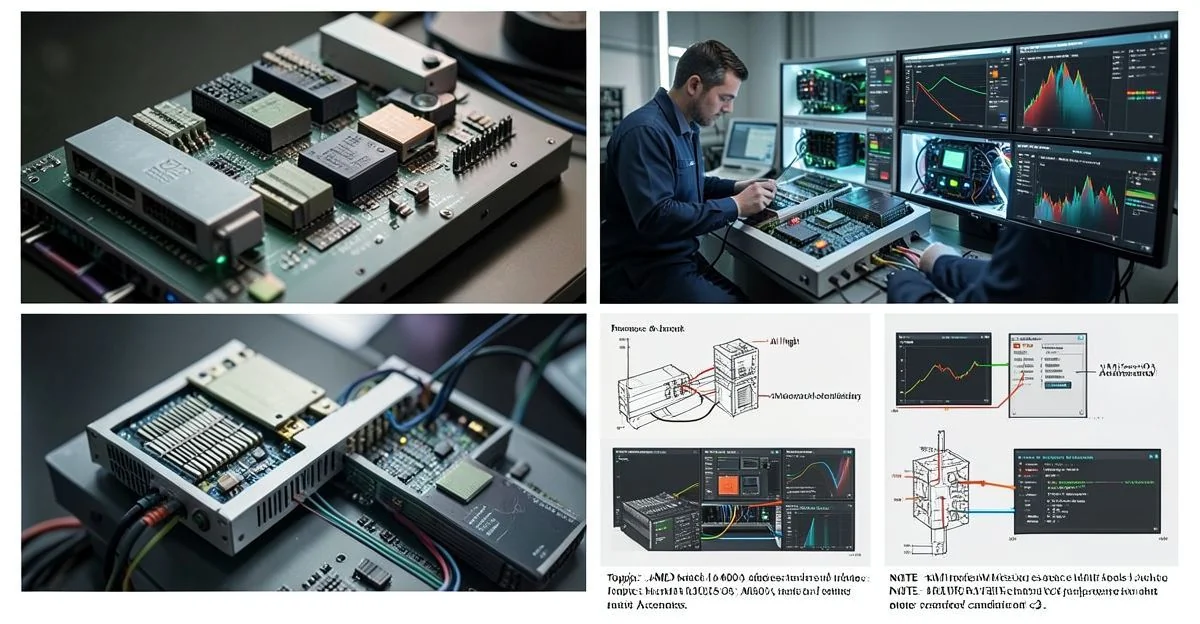
Problem statement: deploying next‑generation GPU accelerators (AMD MI430X, MI440X, MI455X) into production AI and HPC stacks requires concrete operational patterns for topology, memory, and mixed‑precision tuning.
What this article delivers: an engineering‑grade, implementation‑first reference for systems architects and ML engineers that explains architecture, practical deployment patterns, decision checklists, failure diagnostics, and performance scaling guidance for the AMD MI400 family. See our AMD Helios: MI400 Series Integration & Rack Benchmarks for rack‑level burn‑in procedures and topology checklists used in production Helios racks.
Failure scenario (illustrative): a cluster upgrade where MI455X cards are added to a 2‑socket host; after integration, some training jobs hit sudden OOMs at scale, others show unstable p99 latency for inference. Root causes typically include HBM4 thermal throttling, PCIe/CXL topology mismatches, incorrect ROCm NUMA settings, or misconfigured low‑precision kernels. This article walks through the diagnostics and mitigations that resolve those issues reliably.
Executive Summary
TL;DR: The AMD MI400 family (MI430X, MI440X, MI455X) offers a step change in chiplet‑based GPU throughput and HBM4 memory bandwidth — pick MI430X for density‑optimized throughput, MI440X for balanced compute/memory, and MI455X for aggressive low‑precision AI workloads — but integration requires explicit HBM4 thermal, PCIe/CXL topology, and ROCm tuning to reach p95/p99 targets in production.
- MI455X targets low‑precision AI and packs the highest HBM4 capacity and optimized INT8/FP8 pipelines for model inference and quantized training.
- MI430X vs MI440X: MI430X favors compute density; MI440X targets larger HBM4 bandwidth and better sustained throughput under multi‑tenant loads.
- HBM4 on MI455X needs thermal headroom planning and active power management; p99 latency often correlates with sustained HBM temperature not instantaneous clock jitter.
- TSMC N2 chiplet GPU design reduces unit cost and increases yield, but requires PCIe/CXL and driver maturity to expose full intra‑chiplet NUMA benefits to ROCm and MPI stacks.
- Measure p95/p99 using small batch end‑to‑end traces for inference and step‑level gradient update times for training; use those to drive placement and frequency governors.
Three likely direct Q→A pairs
- Q: Which MI400 model is best for FP16 training? A: MI440X is the balanced choice for FP16 training when you need sustained HBM bandwidth; MI455X is preferable if you target low‑precision compute and quantized workflows.
- Q: Does MI455X require special cooling? A: Yes — MI455X's HBM4 stacks and peak clocks necessitate validated active cooling and thermal controls in rack layouts to avoid dynamic throttling that impacts p99 latency.
- Q: Is the MI400 series supported by ROCm and PyTorch? A: Yes — upstream ROCm releases have added MI400 support; validate kernel and driver revisions during CI and pin ROCm versions per cluster image to avoid ABI drift.
How AMD Instinct MI400 Series: MI430X, MI440X, MI455X Accelerators Works Under the Hood
The MI400 family is a chiplet‑based GPU generation fabricated on TSMC N2 process nodes. The design separates compute chiplets, IO chiplets, and HBM4 stacks, optimizing die yield and delivering higher aggregate memory bandwidth per package. Internally, workloads are scheduled across multiple shader arrays with a hierarchical memory topology: local L1/L2 caches per compute chiplet, a shared L3/coherence domain mediated by an IO chiplet, and multiple HBM4 stacks connected through PHY aggregators. For advice when combining MI400 devices with CXL fabrics or experimental interconnects, consult the Quantum‑AI Hybrid Accelerators: AMD‑IBM Integration Benchmarks, which covers CXL interactions and hybrid fabric considerations.
Key architectural primitives and protocols:
- Chiplet interconnect: high‑bandwidth, low‑latency mesh between compute dielets and IO dielet; coherence protocols operate across chiplets to provide a unified address space to the driver.
- HBM4 stacks: wider I/O lanes and higher per‑stack bandwidth compared to HBM3; thermal density is increased, requiring system‑level heat extraction design.
- Memory coherency: system exposes a unified GPU memory region to ROCm, but performance is sensitive to page placement and large page utilization (e.g., 2MB/1GB mappings) to avoid TLB pressure across chiplets.
- CXL/PCIe topology: MI400 platforms ship in both native PCIe 5.0/6.0 and CXL 2.0/4.0 system configurations; when CXL pooling is used, latency and bandwidth characteristics differ and placement policies must be aware of fabric hops.
Diagram (textual): imagine three compute chiplets (C0–C2) connected to an IO dielet (I0). Each compute chiplet has local caches and connects to two HBM4 stacks (H0–H5). Host links connect to I0. Driver exposes the full memory but OS/driver must place backing pages to minimize cross‑chiplet accesses.
Implementation: Production Patterns
This section is organized as progressive patterns — basic setup, advanced tuning, error handling, and optimization. Examples assume a mainstream Linux server, ROCm runtime, Slurm or Kubernetes for orchestration, and PyTorch/TensorFlow models. Refer to our AMD MI400 Helios: HBM4 Benchmarks & Integration Guide for validated HBM4 stress profiles, thermal thresholds, and sample burn‑in scripts used in Helios racks.
Basic: validation and initial deployment
- Inventory & firmware: verify firmware IDs and ALC firmware revisions using vendor tools before rack burn‑in.
- Driver pinning: select a ROCm release that lists MI400 support; bake the driver into your golden AMI/OS image to avoid mismatches during rolling upgrades.
- Power & cooling validation: run a 1‑hour HBM4 stress profile (memory bandwidth microbench, e.g., STREAM and custom HBM4 walker) and confirm no thermal throttles, then record average junction and HBM temps.
- Topology verification: validate PCIe lanes, CXL fabric, and host NUMA topology with lspci and vendor topology tools. Record mappings and annotate node runbooks with GPU‑to‑CPU affinity maps.
Example: quick ROCm smoke test with a synthetic kernel:
# Run a simple ROCm result to confirm device visibility
/opt/rocm/bin/rocminfo
# Run a memory bandwidth microbenchmark (synthetic)
python3 bandwidth_test.py --device 0 --iters 1000
Advanced: placement and mixed‑precision patterns
- NUMA and process affinity: bind training processes to the host CPU socket nearest the IO die (check lspci NUMA node). Use numactl --cpunodebind and --membind for epoch‑level pinned runs to avoid cross‑socket memory penalties.
- Large pages: enable 2MB/1GB hugepages for ROCm to reduce TLB miss rates across chiplets; tune kernel parameters vm.nr_hugepages and hugetlbfs mount points.
- Mixed precision: prefer FP16/FP8 kernels on MI455X for throughput. Use PyTorch AMP or custom kernel flags to select fast paths. Validate numerics with a 1‑epoch regression on a representative dataset rather than synthetic gradients.
- Model sharding and optimizer state: for large models ensure optimizer states and gradients use reduced precision where acceptable. Hybrid sharding (ZeRO stage 2/3) benefits from the MI440X's balanced memory/compute.
PyTorch example to enable AMP and pin ROCm device (minimal):
import torch
from torch import nn, optim
from torch.cuda.amp import autocast, GradScaler

device = torch.device('cuda:0')
model = MyModel().to(device)
scaler = GradScaler()
opt = optim.Adam(model.parameters(), lr=1e-4)

for data, label in dataloader:
    data, label = data.to(device, non_blocking=True), label.to(device, non_blocking=True)
    with autocast(dtype=torch.float16):
        out = model(data)
        loss = loss_fn(out, label)
    scaler.scale(loss).backward()
    scaler.step(opt)
    scaler.update()
Error handling and common fixes
- OOMs on MI455X: check HBM4 utilization, then reduce per‑GPU batch size; if OOM persists, enable optimizer offload and gradient accumulation to trade throughput for memory headroom.
- Intermittent p99 spikes on inference: measure HBM temperature over time (see monitoring section). If correlated, increase coolant flow or lower sustained clocks using vendor power profiles.
- Driver crashes after kernel updates: pin ROCm and kernel ABI in CI; do kernel + driver upgrades in canaries first and keep a rollback image.
For rack‑level deployment guidance and integration benchmarks, see the practical rack validation workflow in our MI400 Helios integration & rack benchmarks, which shows end‑to‑end burn‑in and topology checks used in production Helios racks.
Comparisons & Decision Framework
High‑level comparison: MI430X vs MI440X vs MI455X. Use this checklist to select the right SKU for your workload.
Decision checklist
- Workload type: inference (low latency) vs training (throughput) vs mixed — prefer MI455X for low‑precision inference; MI440X for balanced training; MI430X for dense compute clusters.
- Memory bandwidth needs: if your model is bandwidth‑bound (large embeddings, attention with big sequence lengths), use MI440X or MI455X with HBM4 capacity planning.
- Thermal & power budget: do you have headroom for HBM4 stacks at scale? If constrained, MI430X may be easier to integrate.
- Software maturity: if you rely on specific ROCm extensions or mixed‑precision kernels, validate those on your target ROCm release early; the MI455X low precision paths can offer large gains but require kernel support.
- Cost & density: if rack density is primary (many cores per dollar), MI430X may be preferred; for single‑server model training, MI440X/MI455X provide better end‑to‑end performance.
Short structured tradeoffs:
- MI430X — pro: density and lower thermal envelope; con: lower HBM4 bandwidth for huge models.
- MI440X — pro: balanced HBM4 and compute; con: slightly higher power and integration complexity.
- MI455X — pro: highest low‑precision AI throughput and HBM4 capacity; con: highest thermal and power needs, and requires validated ROCm kernel support for peak performance.
Failure Modes & Edge Cases
Below are concrete failure modes, diagnostics, and mitigations you should add to runbooks.
1. Thermal throttling of HBM4 stacks
Symptoms: sustained p99 latency regression, sudden throughput dips under long training runs.
Diagnostics: correlate HBM and junction temps with benchmarks; vendor tools typically expose per‑stack temps. If p99 correlates with HBM crossing a threshold, apply thermal mitigation.
Mitigations: increase airflow, relocate GPUs to lower ambient racks, reduce clock/power profiles, or use throttle‑aware scheduling to avoid high sustained memory workloads on the same host.
2. NUMA/PCIe topology penalties
Symptoms: training shows 20–40% worse throughput after adding GPUs to the remote PCIe bus; MPI all‑reduce times increase unexpectedly.
Diagnostics: use nvidia‑smi like tools (rocminfo, lspci) and OS counters (numastat) to detect cross‑socket memory traffic.
Mitigations: bind CPUs to nearest GPU, colocate data loaders with socket affinity, and prefer direct host‑attached NVLink/CXL paths where supported. Update MPI topology maps to prefer intra‑node ring all‑reduce where possible.
3. Driver ABI and kernel mismatches
Symptoms: intermittent kernel panics or ROCm kernel module load failures after OS updates.
Mitigations: pin kernel and ROCm versions in CI images, maintain rollback images, and perform staging upgrades using canaries; test with representative workloads including stride‑heavy HBM4 usage.
Performance & Scaling
Performance guidance focuses on measuring the right KPIs, interpreting p95/p99, and capacity planning.
KPIs to measure
- Throughput: samples/sec for training, inferences/sec for inference.
- Latency percentiles: p50, p95, p99 for end‑to‑end inference (including preprocessing) and gradient update steps for training.
- HBM utilization: per‑stack bandwidth utilization and temperature over time.
- Fabric metrics: PCIe/CXL bandwidth and latency; processor bus utilization and cross‑chiplet coherence traffic if available.
Benchmarks & guidance
When you measure, use realistic end‑to‑end traces. Synthetic kernel numbers are helpful for micro‑optimizations but don’t substitute system‑level tests.
- Training: measure time/step and p95 step time under steady‑state training for 5–50 steps after warm‑up; report median and p95 to capture jitter due to system activity or thermal events.
- Inference: measure cold vs warm latencies. Cold includes model load and JIT; warm is steady state. For p99 SLAs, account for garbage collection, page faults, and driver preemption windows.
- Scale tests: scale horizontally (more GPUs) and vertically (bigger batch sizes). Chart strong scaling efficiency and note where HBM4 bandwidth becomes the limiting factor.
Representative guidance (engineer's rule of thumb): if p99 latency exceeds p95 by more than 2× in inference, investigate thermal and OS scheduling first; if throughput stalls but average GPU utilization is <80%, inspect the PCIe/CXL fabric for saturation and NUMA misplacement.
Integration and rack benchmarks in production Helios racks provide real measured behaviors and guidance for HBM4 profiling and are summarized in our HBM4 benchmarks & integration guide. For experimental hybrid workloads that combine quantum or other fabrics, see the hybrid integration notes in our Quantum‑AI hybrid accelerators analysis, which covers CXL and HBM4 interactions in mixed stacks.
Production Best Practices
Security, testing, rollout, and runbooks — concise, actionable bullets.
- Security: treat GPU device nodes and vendor firmware tools as part of your trusted computing base. Limit access via RBAC, audit driver installations, and sign images with vetted ROCm builds.
- Testing: build CI that runs a canonical benchmark (training + inference) on canary hosts after kernel or driver updates; require green checks before promoting images to prod.
- Rollout: use phased rollouts with capacity reserved for rollback; schedule maintenance windows for firmware/driver updates and avoid simultaneous upgrades across racks to reduce blast radius.
- Runbooks: include diagnostics commands (rocminfo, /proc/driver/..), thermal thresholds, driver rollback steps, and batch size mitigation sequences. Document expected p95/p99 baselines per configuration.
Further Reading & References
Primary resources and further reading to validate and extend the guidance:
- AMD MI400 official documentation (driver and release notes) — consult vendor release pages for precise ROCm compatibility.
- ROCm and PyTorch mixed‑precision docs — for AMP and low‑precision kernel usage guidance.
- Cluster and rack integration notes — see Helios integration & rack benchmarks for practical burn‑in and topology checks used in production Helios clusters.
- HBM4 benchmarks and integration guide — our measured HBM4 behavior and thermal guidance is in the MI400 Helios HBM4 benchmarks article.
- Experimental fabric integration — CXL and hybrid workloads are discussed in our Quantum‑AI hybrid accelerators analysis, which is useful if you combine MI400 devices with CXL fabrics or exotic interconnects.
Editor’s note (MAKB): the MI400 family represents a step into chiplet GPUs and HBM4‑centric designs. Operational success depends as much on system integration (thermal, topology, driver management) as on raw peak numbers. Treat the upgrade as a systems project — instrument early, test with representative workloads, and pin software versions to control variability.
Acknowledgements: this article synthesizes field integration notes, rack benchmarking, and upstream ROCm behavior patterns. For hands‑on rack validation steps and sample scripts, consult the Helios integration article linked above.


