
UALink 1.0: Ultra‑High Bandwidth AI Accelerator Fabric
Introduction
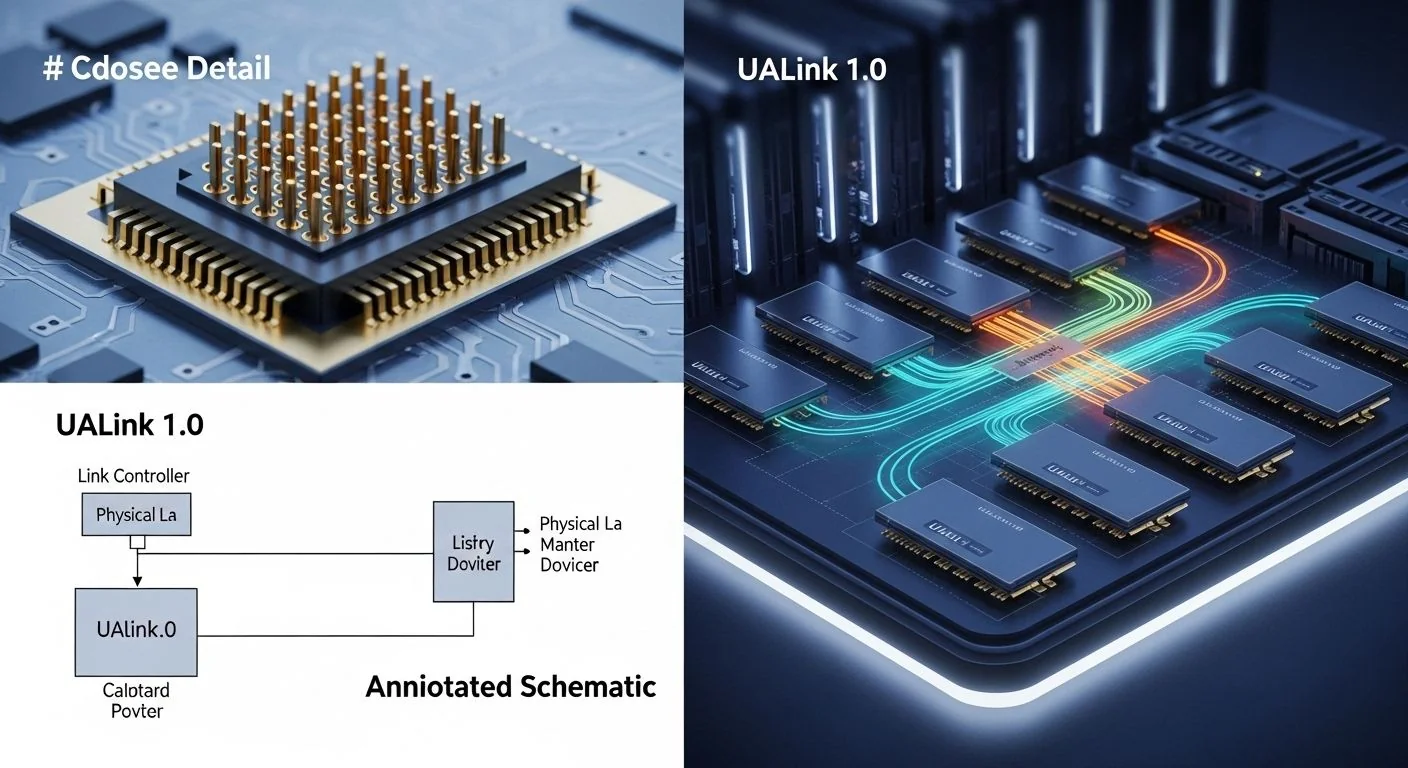
Problem statement: Modern LLM training and inference at pod scale are constrained by interconnect bandwidth, latency, and the ability to scale beyond single‑rack clusters without losing collective performance.
What this article delivers: a practical, production‑facing technical brief on UALink 1.0 — an open, ultra‑high bandwidth interconnect for AI accelerators — covering architecture, implementation patterns, failure modes, diagnostics, performance guidance, and a comparison to NVIDIA�s NVLink for scaling LLM training pods.
Failure scenario (concise): A 512‑GPU training pod shows linear compute scaling on single‑node tests but stalls above 128 GPUs in distributed training. The symptom: step time increases and network counters show link saturation and retransmits on the accelerator fabric. This article explains why that happens with common fabrics, how UALink 1.0 addresses the root causes, and how to validate and remediate the problem in production.
Executive Summary
TL;DR: UALink 1.0 supplies a 200 Gb/s per‑lane, low‑latency, switchable fabric designed to scale open GPU pods to 1,024 accelerators with explicit support for high‑fanout topologies, deterministic collective routing, and interoperable API semantics for RDMA and distributed collectives.
- UALink 1.0 provides 200 Gb/s per lane and is engineered to build 1,024‑accelerator pod fabrics by link bundling and switch aggregation.
- Designed as an open GPU interconnect standard, UALink favors switchable topologies and QoS over tightly coupled proprietary meshes.
- Latency and tail‑latency controls are built into packet scheduling and deterministic routing — important for LLM allreduce and collectives.
- Typical deployment patterns: intra‑node bonding, cross‑node leaf/spine fabrics, and pod‑level fabric orchestration for NCCL/RCCL style collectives.
- Compared to NVLink: UALink trades deep device‑level coherence for open standards, switchable scaling, and higher aggregate fabric flexibility at pod scale.
Quick Q→A (one‑line answers for common queries)
- Q: Is UALink 1.0 proprietary? A: No — it is an open GPU interconnect standard designed for vendor interoperability and a switchable fabric model.
- Q: Can UALink replace NVLink on existing servers? A: Not drop‑in — UALink is a fabric architecture that requires compatible NICs/switches and software stack updates (drivers + collective libraries).
- Q: Will UALink lower LLM training step time? A: When bandwidth or cross‑rack communication is the bottleneck, yes — by increasing available aggregate bandwidth and reducing congestion through deterministic routing and QoS.
How UALink 1.0: Ultra-High Bandwidth AI Accelerators Interconnect Works Under the Hood
UALink 1.0 targets three engineering goals: (1) predictable low tail latency for collective operations, (2) linearly aggregatable bandwidth to large pod sizes, and (3) an open API surface that supports RDMA, atomic operations, and a GPU‑aware communication stack.
Physical & Link Layer
Per the specification, a UALink physical lane runs at 200 Gb/s raw line rate with link‑level flow control and CRC. Links support lane‑bonding (N lanes per link) to present higher logical link bandwidth to an endpoint; typical production profiles use 4x (800 Gb/s) or 8x (1.6 Tb/s) bonded lanes per GPU port. PHY rate selection, auto‑negotiation, and link training follow a deterministic sequence to reduce reconfiguration jitter at boot.
Packet & Transport
UALink defines a lightweight transport header optimized for small‑message collective traffic: sequence ID, congestion controller tag, QoS class, and per‑hop deterministic routing tokens. This header enables switch ASICs to perform per‑flow scheduling and ensure deterministic ordering for collectives without global locking.
Topology & Routing
UALink 1.0 favors switch‑based leaf/spine topologies for pod scalability. Routing modes include:
- Deterministic multi‑path (DMP): striping flows across N disjoint paths using a token sequence to preserve order and minimize jitter for collectives.
- Adaptive minimal congestion routing: per‑flow micro‑reroutes around failed or congested links while maintaining sequence tokens.
- Local aggregation: NICs can present a virtual fabric endpoint that aggregates multiple physical links, allowing collective libraries to treat the VC as a single high‑bandwidth device.
Memory & Coherency Semantics
UALink provides two memory models to serve different operational needs:
- Host‑mapped RDMA: zero‑copy transfers to/from host and device memory regions that are pinned and exported with UALink verbs.
- Accelerator‑mem access with explicit coherence points: accelerators expose windowed access with explicit synchronization (fence operations). UALink 1.0 deliberately avoids full hardware cache coherence across devices to simplify scalability and interoperability; instead, it offers software‑assisted coherence primitives optimized for collectives.
Software Stack & APIs
UALink 1.0 defines a verbs‑style API for RDMA, atomic ops, and ephemeral collectives. Implementations typically ship a kernel driver exposing a /dev/ualX device, a userland libualink for verbs and helpers, and a plug‑in for collective libraries (e.g., NCCL, MPI). The stack includes tools for fabric discovery, path health, and QoS policies.
For teams integrating UALink with pooled memory fabrics like CXL, the interaction model can be complementary — UALink handles high‑bandwidth transport between accelerators while CXL remotes memory for large model and optimizer state. See our article on CXL 3.1 fabric‑attached memory for how memory pooling pairs with high‑performance interconnects. For a broader view on multi‑rack memory disaggregation and port bundling, see our analysis of CXL 4.0 and multi‑rack memory fabrics.
Implementation: Production Patterns
The deployment model for UALink varies by scale. Below are patterns from small (16–64 GPUs) to very large (512–1,024 GPUs) pods, with actionable steps, config snippets, and operational checks.
Basic: Single‑Rack, 16–64 GPUs
- Install UALink NICs on each host and connect to a top‑of‑rack UALink leaf switch using 4x or 8x bonded lanes per NIC port.
- Enable UALink kernel driver and confirm link training: ualinkctl link show (vendor tool).
- Configure QoS classes: class 0 for control, class 1 for collectives, class 2 for bulk transfers.
- Test with microbenchmarks: latency (send/recv), bandwidth (streaming), and small‑message collective tests (allreduce 1–128 KB).
Example: a minimal orchestration hint for Kubernetes device plugin annotation to select UALink NICs (YAML snippet):
apiVersion: v1
kind: Pod
metadata:
  name: training-job
spec:
  containers:
  - name: trainer
    image: myregistry/llm-trainer:prod
    resources:
      limits:
        nvidia.com/gpu: 8
    env:
    - name: UALINK_QOS
      value: "collective:1"
    volumeMounts:
    - mountPath: /dev/ual0
      name: ual-ctrl
  volumes:
  - name: ual-ctrl
    hostPath:
      path: /dev/ual0
Advanced: Multi‑Rack Pods (128–1,024 GPUs)
- Design leaf/spine fabrics: each rack has leaf switches; spine layer supports high‑radix routes so that DMP can create disjoint paths for collective striping.
- Use link aggregation at NIC to present >1 Tb/s per endpoint (e.g., 8x200 Gb/s lanes = 1.6 Tb/s logical port).
- Enable deterministic routing for collective traffic and reserve QoS lanes to prevent interference from bulk background transfers.
- Integrate with scheduler: cluster scheduler must be topology aware (rack‑aware placement) to reduce cross‑spine hops for tightly coupled training jobs.
Collective library integration example (pseudo C API):
// initialize UALink context and create a collective communicator
ual_context_t *ctx = ual_init(UAL_VERSION_1);
ual_comm_t *comm = ual_comm_create(ctx, ranks, rank_id);
// set deterministic multi-path striping across configured paths
ual_comm_set_policy(comm, UAL_COMM_POLICY_DETERMINISTIC_MULTIPATH);
// run allreduce using UALink's driver‑accelerated primitives
ual_allreduce(comm, sendbuf, recvbuf, count, UAL_REDUCE_SUM);
Error handling & optimization checklist
- Confirm link training at boot and revalidate after any OS/kdriver update.
- Use per‑flow counters: lane errors, retransmit count, QoS drops. Red lights: >0.1% packet error or >1% retransmits sustained on collectives.
- If step time increases nonlinearly with scale, check for imbalanced fanout (hot nodes) and path congestion; re‑place ranks to equalize hop counts.
Comparisons & Decision Framework
When choosing between UALink 1.0 and alternatives (NVLink, InfiniBand, Ethernet variants), consider three dimensions: scalability (bandwidth & fanout), software stack & ecosystem, and latency/tail behavior for collectives.
Direct comparison: UALink 1.0 vs NVLink (scaling LLM training pods)
- Topology: NVLink typically provides a device‑level mesh or hybrid mesh within an OEM chassis (deep device‑level interconnect with high device level bandwidth). UALink favors switchable fabrics enabling larger pod fanout through leaf/spine topologies.
- Bandwidth: UALink advertises 200 Gb/s per lane and supports lane aggregation to reach multi‑Tb/s per logical port. NVLink numbers vary by generation and are implemented as proprietary stack; some NVLink versions provide very high intra‑node device bandwidth but are not inherently switchable across racks.
- Scaling: For single‑node performance and low latency in‑GPU memory accesses, NVLink's tight integration can outperform switch fabrics. For scaling beyond chassis and into multi‑rack pods (128+ GPUs), UALink's switchable fabric and deterministic routing provide more predictable aggregate throughput and manageability.
- Software & openness: NVLink is proprietary with strong vendor‑tied software (NVIDIA NCCL, drivers). UALink 1.0 targets an open API model enabling multiple vendors to interoperate; this favors heterogeneous clusters and community tooling but requires ecosystem maturity.
- Use case guidance: If your workload is constrained inside a single chassis and needs the lowest possible intra‑GPU latency, NVLink (or NVSwitch architectures) remain compelling. If you need a 512–1,024 accelerator pod with predictable collectives across racks and prefer an open standard, UALink is designed for that target.
For additional context on how fabric‑attached memory and high‑bandwidth fabrics interoperate in AI data centers, see our deeper analysis of CXL 4.0 and multi‑rack memory fabrics.
Decision checklist (choose UALink if...)
- You need to scale training jobs across many racks (128+ GPUs) with deterministic collective performance.
- You require an open interconnect standard for heterogeneous hardware vendors or want switch‑based topology flexibility.
- Your workload is dominated by collective operations and is sensitive to QoS and tail latency.
Failure Modes & Edge Cases
Below are practical failure modes with diagnostics and mitigations you will use in production runbooks.
1. Link saturation causing increased step time
Diagnostics: NIC and switch counters show per‑lane utilization near 95–100% and per‑flow queue build‑up. Packet retransmit counters rise; p99 latency for small messages increases dramatically.
Mitigation: enable additional bonded lanes, reconfigure job placement to reduce cross‑spine hops, or enable flow‑aware QoS to prioritize small collective messages. If immediate relief is required, throttle bulk background traffic.
2. Tail latency spikes from head‑of‑line blocking
Diagnostics: head‑of‑line blocking visible in switch queue occupancy per QoS class; collectives have p99 spikes but median latency remains low.
Mitigation: enable per‑class queue isolation and deterministic scheduling for collective classes, reduce maximum burst size for bulk classes, and use UALink's sequencing tokens to avoid per‑flow reordering costs.
3. Rank imbalance or topology mismatch
Diagnostics: one node consistently slower in collectives; per‑rank times show skew. Fabric path lengths vary widely due to rank placement that crosses more spines.
Mitigation: adopt topology‑aware scheduling, re‑map ranks so each collective group has similar hop counts, and run the UALink fabric placement analyzer prior to job launch.
4. Firmware incompatibility after upgrades
Diagnostics: link training failures after driver/firmware update; negotiation falls back to low rate or link flaps.
Mitigation: maintain a firmware matrix in CI tests; use staged rollouts and automated link training tests in pre‑prod racks. Keep a rollback plan and preserve last known good firmware image for fast reversion.
Performance & Scaling
Performance targets and KPIs must be explicit in contracts and monitoring; for latency KPI guidance you can consult our CXL 4.0 AI inference latency benchmarks & checklist. Below are recommended metrics, p95/p99 guidance, and sample microbenchmark outputs to target when validating UALink pods.
Key KPIs
- Per‑lane throughput (Gb/s) and link utilization (%) — track samples per second and moving averages (1m/5m/15m).
- Application step time median/p95/p99 — track per‑rank and per‑collective operation breakdowns.
- Collective completion jitter (p95–p99 difference) — target <10% of median for tightly coupled training.
- Packet error rate (PER) and retransmit rate — target PER < 1e‑7 for production fabrics; sustained retransmits > 1e‑5 require immediate remediation.
Benchmarking methodology
Microbenchmark the fabric using three modes: latency (small 1–64 byte messages), small‑message collective (allreduce 1–128 KB), and streaming (sustained bandwidth using windowed RDMA writes). Run each at different pod sizes (1, 4, 16, 64, 256, 512, 1,024) to reveal scaling cliffs.
Representative numbers (expected ranges)
- Raw lane rate: 200 Gb/s (per specification).
- Logical 8x bonded port: up to 1.6 Tb/s theoretical; expect 75–90% of line rate in sustained streaming depending on packetization and CPU overhead.
- Small‑message latency (1 KB): median ~2–5 microseconds intra‑rack; cross‑spine median ~4–12 microseconds; p99 depends on QoS and congestion management — target p99 < 50 microseconds for collective classes.
- Collective allreduce (128 KB per rank) scaling: near‑linear throughput up to 128 GPUs with well‑placed ranks, then depends on fabric oversubscription and spine capacity; deterministic routing maintains near‑linear scaling to 512 GPUs with a properly provisioned spine.
Monitoring & alerts
- Alert if per‑flow retransmit rate > 1e‑5 sustained for 60s.
- Alert when p99 collective latency increases by > 2x over baseline for 3 consecutive runs.
- Keep historical baseline for step time per job class and auto‑open incident on regression > 15%.
Production Best Practices
Security, testing, and rollout guidance for production UALink deployments. For confidential computing and firmware signing workflows consult our Arm CCA Confidential AI: Production Implementation Guide.
Security
- Isolate fabric control plane: place switch management and UALink control services in a management VLAN with strict ACLs.
- Use mutual auth for switch/NIC firmware management and sign images. Maintain a trust store for allowed firmware versions.
- RBAC for fabric operations: only fabric admins should change QoS/class mappings or update routing policies.
Testing & CI
- Include link training, short‑message latency, collective correctness tests, and stress tests in upgrade CI gates.
- Run topology‑aware placement checks during scheduling validation and simulate worst‑case background traffic in staging.
Runbooks & rollout
- Pre‑release: validate hardware matrix, firmware compatibility, and performance on a 16–32 GPU staging pod.
- Canary: rollout to a single rack and run predetermined training workloads under monitoring for 72 hours.
- Full rollout: phased by rack groups, with post‑release benchmarks and rollback thresholds defined (e.g., step‑time regression > 10%).
Further Reading & References
- CXL 3.1 fabric‑attached memory for AI data centers — how memory pooling complements high‑bandwidth fabrics.
- CXL 4.0: bandwidth doubling and multi‑rack memory fabrics — context on bundling ports and multi‑rack memory disaggregation.
- CXL 4.0 AI inference: Latency Benchmarks & Checklist
- InfiniBand and RDMA whitepapers (vendor docs) — for comparison of verbs and RDMA semantics.
- NVLink technical briefs and vendor performance notes — for single‑node, device‑level mesh comparisons.
Appendix: Practical diagnostics snippets
Below are example commands and a microbenchmark harness sketch that teams can adapt. Replace tool names with vendor equivalents.
# Example: basic UALink health checks (pseudo-commands)
# show link status
ualinkctl link show
# show per-port counters
ualinkctl port counters --port 0
# run a small message latency test (round-trip)
ualbench --target 10 --msgsize 64 --mode latency
# collect per-rank NCCL-like profiling output
ual_profiler --pid 1234 --output /tmp/ual_profile.json
Microbenchmark (Python-like pseudo harness) to measure allreduce latency across ranks:
from ualink import UALContext, UALComm
ctx = UALContext()
comm = UALComm(ctx, ranks=nodes, rank=my_rank)
# allocate buffers
send = allocate_device_buffer(size)
recv = allocate_device_buffer(size)
for size in [1024, 4096, 16384, 131072]:
    t0 = wall_clock()
    ual_allreduce(comm, send, recv, size//4, UAL_REDUCE_SUM)
    dt = wall_clock() - t0
    print(f"size={size} bytes, time={dt*1e3:.3f} ms")
Use such harnesses to create baselines and to detect regressions after firmware or driver changes.
Concluding notes
UALink 1.0 represents an architectural trade: it trades tightly coupled hardware‑level coherence for an open, switchable fabric model that scales predictably to 1,024 accelerators while providing deterministic routing and QoS needed for LLM training pods. For teams building pod‑scale infrastructure, it is critical to instrument collectives, enforce topology‑aware scheduling and LLM routing practices, and have CI/firmware matrices to prevent production surprises. Where shared memory semantics are required, combine UALink transport with fabric‑attached memory (CXL) as discussed in our deeper CXL guides.
Practical next steps:
- Run a baseline benchmark on your current interconnect to capture median/p95/p99 step times and per‑rank skew.
- Prototype a small UALink leaf/spine using bonded lanes and measure small‑message tails under realistic background traffic.
- Define acceptance criteria (throughput, p99 latency, retransmit thresholds) and include them into your deployment gate for any fabric changes.
MAKB editorial note: fabrics change how you reason about distributed systems. The promise of UALink is not only higher raw bandwidth but reduced operational surprise at scale — if you design for QoS, deterministic routing, and topology‑aware placement from day one.


