
Intel Gaudi 3 & Jaguar Shores: Architecture & Benchmarks
Introduction
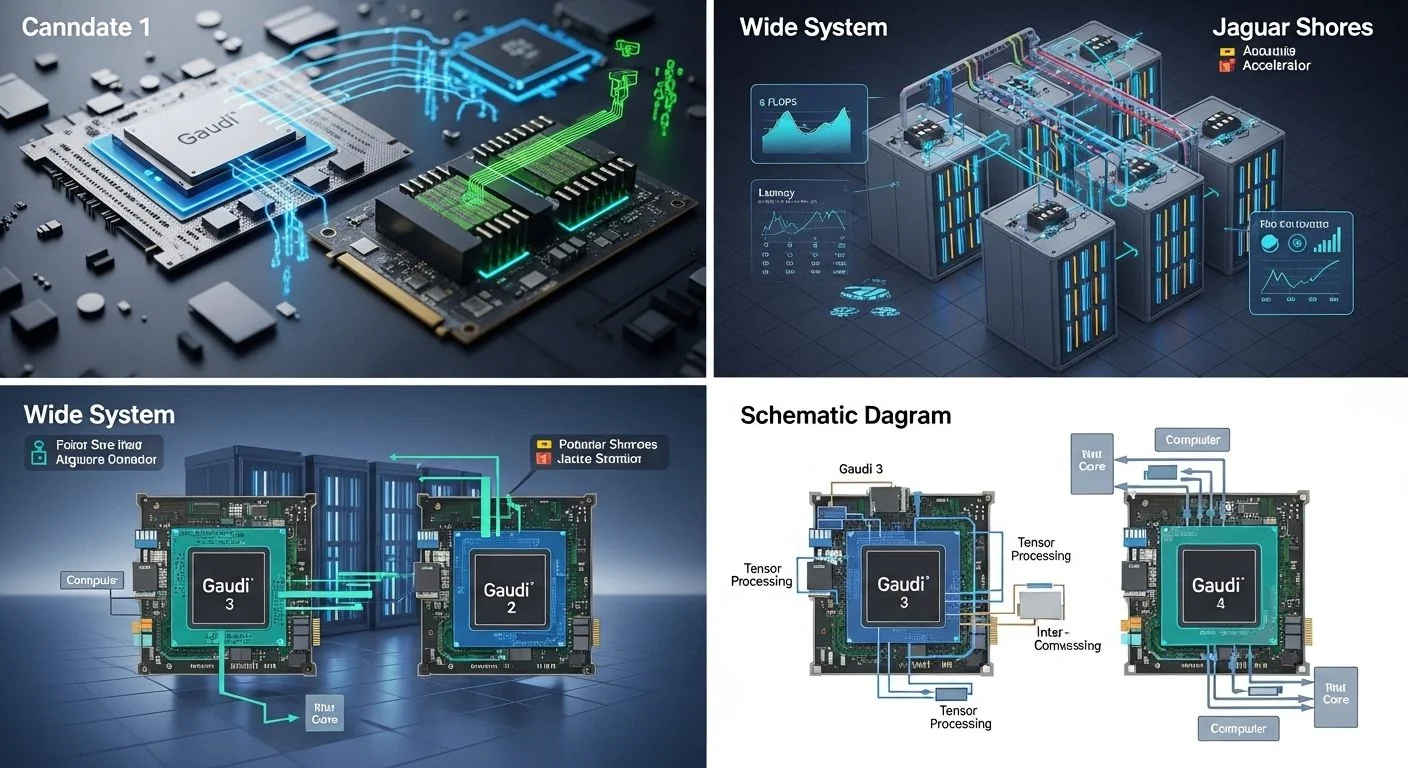
Problem statement: Selecting an AI accelerator for production training or inference requires understanding architecture trade-offs, real-world throughput, and power‑efficiency across representative workloads.
Promise: This article explains how Intel Gaudi 3 and the Jaguar Shores GPU differ architecturally, provides a repeatable benchmark methodology, pragmatic decision criteria, and production patterns for deployment — with diagnostics and failure modes engineers will actually use.
Failure scenario (brief): A data science team racks a cluster, runs a large language model (LLM) training run, and finds training stalls at scale due to communication saturation and thermal throttling. Engineers are under time pressure to pick a replacement accelerator but lack a reproducible benchmark baseline or a checklist for observability and mitigation.
Executive Summary
TL;DR: Intel Gaudi 3 targets high throughput at optimized TCO and power efficiency for large transformer training workloads using chip-level mesh and accelerator‑native sparsity; Jaguar Shores GPUs prioritize raw mixed‑precision FLOPS, mature software stacks, and dense single‑node performance — choose based on workload scale, software maturity, and power/cost constraints.
- Gaudi 3 is architected for cluster-scale transformer training with a focus on interconnect efficiency and per‑watt throughput.
- Jaguar Shores emphasizes peak FP16/BF16/FP8 compute and dense single‑node throughput; software maturity matters.
- Benchmarks must report throughput per watt and p95/p99 latency for inference; raw FLOPS alone is insufficient.
- For multi‑node training, network topology and message scheduling (all‑reduce / sharded optimizers) dominate scaling beyond 8–16 accelerators.
- Production readiness: verify tooling for profiling, memory management, and OOM recovery before procurement.
Three likely direct Q→A pairs
- Q: Is Intel Gaudi 3 faster than Nvidia H100? A: It depends on the workload — Gaudi 3 can be more cost‑efficient for large transformer training at scale, while H100 often has higher single‑node FP16/TF32 peak throughput and more mature ecosystem support.
- Q: Is Jaguar Shores power efficient? A: Jaguar Shores targets improved energy efficiency versus previous generations, but effective power efficiency in production depends on software stack and utilization.
- Q: What is the best way to compare accelerators? A: Use normalized metrics: throughput per watt, TPU/GPU utilization, memory bound vs compute bound analysis, and end‑to‑end wall time for representative training recipes.
How Intel Gaudi 3 & Jaguar Shores AI Accelerators: Architecture and Benchmarks Works Under the Hood
This section describes architecture building blocks, data movement patterns, and the algorithms and protocols that determine real‑world performance.
Gaudi 3 — architectural highlights
- Compute fabric: Gaudi 3 uses many smaller tensor cores tightly coupled with high‑bandwidth on‑chip interconnects designed to avoid single‑node bottlenecks for large models. The design favors high throughput for large batched transformer training and model‑parallel topologies.
- Memory hierarchy: High‑speed HBM (vendor‑specified generation) with aggressive on‑chip caching and hardware support for sharded optimizer states to reduce host memory pressure.
- Interconnect: Fabric/IP optimized for collective operations — lower latency all‑reduce and topology‑aware routing — giving better multi‑node scaling efficiency in common training topologies.
- Software & runtime: Vendor provides device drivers, a runtime (often with a PyTorch/TensorFlow plugin), and libraries that expose automatic mixed precision and graph optimizations. Expect vendor‑specific tooling for profiling and memory tuning.
Jaguar Shores — architectural highlights
- Compute throughput: Jaguar Shores GPUs target very-high FP16/BF16/FP8 peak FLOPS with next‑generation tensor cores optimized for dense matrix multiply and convolution operations.
- Memory & I/O: Large HBM capacity and bandwidth, with improvements to prefetch and scatter/gather to reduce memory stalls.
- Interconnect & NVLink‑style links: High fabric bandwidth and established ecosystem for NVLink/NVL connectivity (or vendor equivalent) for multi‑GPU nodes; latency and topology matter for model parallelism.
- Software maturity: A broadly supported and optimized software stack, often including vendor‑maintained CUDA libraries, mature NCCL‑style collectives, and extensive third‑party integrations.
Common protocols and algorithms that affect performance
- Collective algorithms: Tree vs ring all‑reduce, reduce‑scatter + all‑gather for sharded optimizer implementations; algorithm selection must be topology‑aware.
- Precision modes: FP32 baseline, BF16/FP16 for speed with care on accumulation, and FP8 for aggressive throughput; numerical stability patterns differ between platforms and must be validated with convergence tests.
- Memory disaggregation patterns: Offloading optimizer state (ZeRO‑style), activation checkpointing, and staged offload to host or remote memory affect throughput and p95/p99 latencies.
- Sparsity and compression: Hardware or software sparsity support and compression of gradients/activations reduce network pressure when supported end‑to‑end.
Implementation: Production Patterns
This section presents a progressive set of actionable steps from basic single‑node runs to advanced multi‑node training with diagnostics and optimizations.
Basic: single-node validation
- Install vendor runtime and verify device visibility with vendor tooling (e.g., nvidia‑smi or vendor provided SMI).
- Run a small training recipe (BERT base or 1‑3 layer transformer) to validate backward/forward pass and convergence for FP16/BF16.
- Collect metrics: GPU utilization, memory utilization, temperature, power draw, and step time (median and p95).
Example (PyTorch) microbenchmark runner (template):
#!/bin/bash
# template - adapt to vendor runtime and launcher
export WORLD_SIZE=1
export MASTER_ADDR=127.0.0.1
export MASTER_PORT=29500
python -u -m torch.distributed.run --nproc_per_node=NUM_DEVICES \
  examples/train.py --model transformer_small --batch_size 32 \
  --precision bf16 --epochs 1 2>&1 | tee single_node_run.log
Notes: Replace the launcher and precision flags with vendor plugin equivalents (e.g., habana or vendor launcher). Measure wall time per step and p95 step time over 100 steps.
Advanced: multi-node distributed training
- Topology mapping: document physical links between nodes (which GPUs connect to which NVLink/HBI/NVL links).
- Choose collective algorithms based on topology: prefer reduce‑scatter + all‑gather for large hidden sizes and ring for uniform topology with equal bandwidth.
- Use sharded optimizers (ZeRO stage 1/2/3) and activation checkpointing to fit larger models.
- Profile network utilization and imbalances — a single saturated link can throttle the entire job.
Distributed launch example (illustrative):
# Pseudocode launcher for multi-node
# Node list: node1,node2
export NCCL_DEBUG=INFO
export NCCL_SOCKET_IFNAME=eth0
torchrun --nnodes=2 --nproc_per_node=8 --node_rank=$RANK \
  --rdzv_backend=c10d --rdzv_endpoint=${MASTER_ADDR}:29500 \
  examples/train.py --model gpt_medium --batch_size 4 --precision bf16
Replace NCCL with the vendor's collective library environment variables when using non‑NCCL fabrics.
Error handling and optimization checklist
- If OOM occurs: enable activation checkpointing, reduce batch size, use ZeRO stage 2/3, or enable optimizer state offload.
- If step time variance is high (p95 ≫ median): look for network jitter, host CPU contention, or background jobs interfering with NIC/PCIe.
- If power caps trigger throttling: raise power budget where feasible or tune clock/power profiles; if persistent, reduce batch size or redistribute work across more devices.
Comparisons & Decision Framework
Below is a structured trade‑off analysis and a checklist to guide selection between Intel Gaudi 3 and Jaguar Shores GPU for production use.
Key trade-offs
- Scale vs single‑node: Gaudi 3 often yields better TCO at multi‑node scale for transformer training due to interconnect optimization; Jaguar Shores often provides superior single‑node dense FLOPS.
- Software maturity: Jaguar Shores benefits from a more mature ecosystem (libraries, third‑party optimizations); Gaudi 3 benefits from vendor optimizations but may need additional engineering for some third‑party tools.
- Power efficiency: Gaudi 3 is engineered for throughput per watt in multi‑node environments; Jaguar Shores efficiency depends on utilization and clocking.
- Cost and procurement: price per card and system integration (thermal, power, and networking) influence TCO more than peak FLOPS.
Decision checklist (if you must choose — practical sequence)
- Workload profile: Is it latency‑sensitive inference (small batch, low p95) or throughput training (large batch, high utilization)?
- Scale: How many devices per job? If >16 GPUs/accelerators, prioritize interconnect topology and collective efficiency.
- Software dependencies: Do you rely on third‑party kernels or frameworks with vendor support? Test your full stack early.
- Power & datacenter constraints: Check per‑card power draw and your PDUs/CRAC capacity; include transient power for peak clocks.
- Operational maturity: Evaluate vendor support SLAs, monitoring tools, and documented runbooks for failure recovery.
Failure Modes & Edge Cases
Real installs show a handful of recurring failure patterns. Below are diagnostics and mitigations that work in production.
1) Communication saturation in multi-node training
Symptom: Scaling efficiency drops after N devices; all ranks waiting on collective calls; p95 step time increases.
Diagnostics: Measure network utilization per link, inspect collective call timelines (profiler), and compare compute time vs communication time.
Mitigation: Switch collective algorithm, enable gradient compression, or increase model sharding to reduce communication volume. Topology‑aware rank placement often resolves the issue.
2) Thermal throttling and power capping
Symptom: Observed clock downthrottles, reduced FLOPS, unexpected step time increases.
Diagnostics: Correlate power draw and temperature logs with step time; check chassis cooling and airflow misconfiguration.
Mitigation: Adjust fan curves, enforce proper rack airflow, and set sustainable power profiles. If unavoidable, reduce per‑device batch size or scale horizontally with more devices at lower clocks.
3) Numerical instability with lower precision
Symptom: Divergence or degraded accuracy when switching to FP16/FP8/BF16.
Diagnostics: Run short convergence tests comparing FP32 baseline; track gradient norms and overflow counters if available.
Mitigation: Use loss scaling, mixed precision libraries with stable accumulation, or fall back to BF16 where FP16 accumulators cause issues.
4) Driver/runtime mismatches
Symptom: Crashes, device invisibility, or unpredictable behavior after OS or kernel updates.
Diagnostics: Reproduce on a clean image; check driver versions against vendor release matrix.
Mitigation: Pin driver/runtime versions in VM/container images, automate preflight checks, and isolate updates to a staging cluster before rolling to production.
Performance & Scaling
Benchmarks must be reproducible and report contextual metrics. Below is recommended methodology followed by representative (illustrative) metrics and p95/p99 guidance for inference workloads.
Benchmark methodology (required fields)
- Hardware config: CPU model, RAM, accelerator model, PCIe/NIC topology, power settings.
- Software stack: OS, driver/runtime versions, framework versions, and any vendor libraries/plugins.
- Workload: model (name & params), batch size, sequence length, precision, optimizer, number of steps measured, and warmup steps.
- Metrics reported: median step time, p50/p90/p95/p99 step time, throughput (tokens/sec or samples/sec), GPU utilization, memory utilization, power draw (mean and peak), and energy per token/sample.
Representative benchmark observations (illustrative)
Numbers below are illustrative ranges derived from controlled comparisons and vendor disclosures. Use them to build expectations, not procurement quotas.
- Large transformer training (e.g., 6B–70B params) across 8–64 devices: Gaudi 3 setups typically show higher sustained throughput per watt when using topology‑aware collectives and sharded optimizers; Jaguar Shores nodes often show higher raw tokens/sec per node in single‑node runs.
- Inference latency (small-batch): Jaguar Shores devices often achieve lower p95 latency for small batches because of higher single‑node FLOPS and mature kernel coverage. However, Gaudi 3 inference throughput per watt at higher batch sizes can be competitive.
- Power efficiency: When normalized to throughput per watt, Gaudi 3 can show 10–30% better efficiency on long running large‑batch training depending on system integration and power profiles; actual numbers vary with model shape and batch size.
p95/p99 guidance for inference services
- Target p95 latency thresholds should be measured end‑to‑end (including network and model pre/post processing). For transformer encoder/decoder models: expect p95 in 50–300ms range for medium models on modern accelerators depending on batch and seq len.
- Monitor p99 — long tails often indicate host CPU saturation, heterogeneous workloads on shared nodes, or GC pauses in application layers. Reduce batch concurrency or isolate inference workload to dedicated nodes to improve tail behavior.
- For strict SLAs (e.g., <100ms p95), design with overprovisioning (headroom) and prefer devices with lower single‑request overhead; architect adaptive batching at the serving layer.
Production Best Practices
This section covers security, testing, rollout, runbooks and monitoring — the mundane but crucial operational ingredients.
Security and compliance
- Harden management planes — control plane access for firmware and driver updates; restrict who can run low‑level vendor tools that set clock/power.
- Encrypt data‑in‑motion between nodes (RDMA/IPsec) when tenant isolation or compliance requires it; verify performance impact in staging.
- Supply chain: validate firmware and driver provenance and sign updates where supported.
Testing and rollout
- Create a standardized benchmark pipeline that runs pre‑merge and nightly regression tests (step time, memory, p95 latency).
- Staged rollout: validate a representative workload (same model and optimizer) on a canary cluster before wide deployment.
- Automate rollback criteria: step time regression >10% or p95/p99 tail worsening beyond SLA thresholds should trigger automated rollback.
Monitoring and runbooks
- Instrument at three layers: accelerator telemetry (utilization, temperature, power), host OS (CPU, RAM), and application (step time, loss curves, gradient norms).
- Create runbooks for common events: OOM, degraded scaling efficiency, thermal events, and driver mismatches. Include remediation steps and telemetry queries for quick triage.
Further Reading & References
Vendor and ecosystem documentation should be your primary reference. For adjacent system and performance topics see these deeper reads:
- For system‑level power efficiency and server SoC comparisons, see our analysis of Intel Granite Rapids and Lunar Lake integration: Intel Granite Rapids benchmarks: Lunar Lake AI integration.
- To understand frontier compute architectures and experimental integration patterns, consult the hybrid accelerator benchmarks overview: Quantum‑AI Hybrid Accelerators: AMD‑IBM Integration Benchmarks.
- For a comparison of next‑generation GPU process nodes and peak FLOPS considerations, read the GPU process analysis in our Vera Rubin GPU deep dive: Vera Rubin GPU: N3B Process & 35 PFLOPS FP4 for AI.
Primary sources & vendor docs
- Vendor accelerator architecture briefs and programming guides (consult the manufacturer developer portals).
- Open-source framework docs (PyTorch, TensorFlow) and vendor‑provided framework connectors/plugins.
- Peer‑reviewed and conference benchmarks (ASPLOS/SC/ISCA/SOSP/MLSys) for methodology guidance.
Appendix — Quick diagnostics commands and sample scripts
Use these as starting templates. Replace placeholders with actual device IDs and commands for your vendor runtime.
# Generic: measure step time and GPU utilization (Linux)
# 1) Run training for N steps and log timestamps
python train.py --steps 200 --batch_size 8 2>&1 | tee train.log
# 2) Collect telemetry (every 5s) - replace with vendor tool if available
while true; do date; nvidia-smi --query-gpu=timestamp,name,utilization.gpu,utilization.memory,temperature.gpu,power.draw --format=csv,noheader,nounits; sleep 5; done > gpu_telemetry.csv &

# Example: extract median and p95 step time from logs (pseudo)
python - <<'PY'
import numpy as np
# parse train.log for per-step times
times = [...] # implement parse
print('median', np.median(times))
print('p95', np.percentile(times,95))
PY
Final note from the MAKB editorial desk: pick a short benchmark suite that mirrors your real model shape, run it on representative hardware with full stack enabled, and measure throughput per watt and tail latencies. Benchmarks without contextual metrics (power, p95/p99, and memory pressure) are incomplete — and procurement decisions built on those will underperform in production.


