
GB300 NVL72: Deploying NVIDIA's Rack-Scale Blackwell Ultra Platform
Introduction
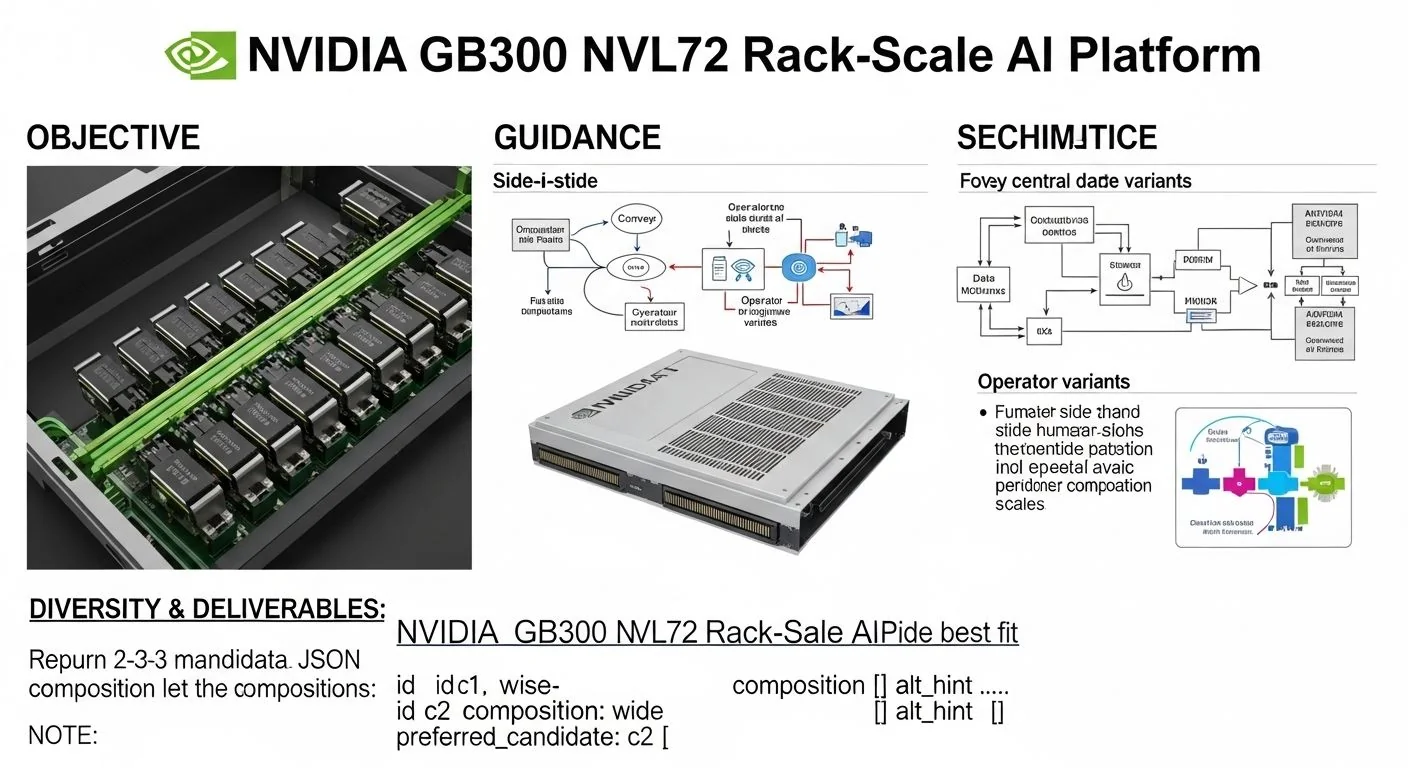
Problem statement: Modern production AI workloads require rack-scale systems that deliver sustained throughput, predictable p95/p99 latency, and operational simplicity for multi-node model-parallel deployments.
What this article delivers: a practitioner-focused, evidence-led guide to the NVIDIA GB300 NVL72 rack-scale AI platform — how it is built, how to run production workloads on it reliably, and how to choose GB300 NVL72 over alternatives.
Failure scenario (short): Teams often move from single-server GPU training to rack-scale inference and find hotspots in interconnects, unexpected thermal throttles, or unpredictable tail latency at p95–p99 when running large-model serving. This article shows how to identify, mitigate, and monitor those failure modes on GB300 NVL72.
Executive Summary
TL;DR: The GB300 NVL72 is NVIDIA's rack-scale configuration optimized for multi-GPU Blackwell Ultra workloads; treat it as a fabric-first system — plan for interconnect bandwidth, power, and software stack parity before scaling.
- GB300 NVL72 aggregates 72 Blackwell Ultra GPUs in a rack-scale chassis; the platform prioritizes fabric bandwidth and GPU-to-GPU topology over raw node count.
- Key bottlenecks in production are interconnect saturation, power capping, and GPU memory fragmentation — mitigate with topology-aware scheduling and NCCL/NVIDIA collective tuning.
- For large-model training and inference, prefer hybrid parallelism (tensor + pipeline) with careful micro-batching to hit p95/p99 SLAs.
- Operationalize with telemetry: NVML + DCGM, network RDMA counters, and power/thermal traces; implement automated runbooks for cold swap, firmware, and microcode updates.
- Compare GB300 to GB200 by fabric density and scalability: GB300 emphasizes NVL fabric topologies and higher rack-level GPU counts; GB200 is node-centric and simpler to integrate into legacy clusters.
Three likely question→answer snippets
- Q: What does NVL72 mean? A: NVL72 denotes a GB300 rack-scale configuration that consolidates up to 72 Blackwell-class GPUs into a single management and fabric domain for low-latency, high-throughput distributed workloads.
- Q: Does GB300 require NVLink-only networking? A: No — GB300 prioritizes GPU fabric connectivity (NVLink/UALink/NVSwitch where available) but integrates RDMA over Ethernet or InfiniBand and supports host-side CXL & PCIe fabrics for CPU-GPU coordination.
- Q: How does GB300 affect model partitioning? A: It shifts the optimization point toward co-locating tensor shards across GPUs connected via the highest-bandwidth fabric to reduce inter-node communication and improve p95 throughput.
How NVIDIA GB300 NVL72 Rack-Scale AI Platform Works Under the Hood
The GB300 NVL72 is best understood as a fabric-first rack: compute (Blackwell Ultra GPUs), fabric switching (NVLink/NVLink-like fabrics and NVSwitch/UALink equivalents), host CPUs for orchestration, and top-of-rack networking for east-west data movement. The NVL72 suffix indicates a 72-GPU fabric domain within a single rack/chassis boundary, designed to present a compact, low-latency collective surface for large-model workloads.
Key architectural components (textual diagram):
- GPU layer: 72 Blackwell Ultra-class GPUs arranged across multiple sleds/nodes. Each GPU exposes high-bandwidth HBM (capacity varies by SKU), NVLink/peer links, and PCIe/CXL to the host.
- Fabric layer: High-radix fabric switches (NVSwitch or UALink fabric switches) create a low-hop, high-bandwidth GPU mesh within the rack. The fabric prioritizes GPU-to-GPU traffic for NCCL, Collective Ops, and model parallel gradients.
- Host control plane: One or more management nodes run cluster management, storage gateways, and orchestrate firmware updates, telemetry aggregation (DCGM), and scheduling (Slurm/Kubernetes with device plugin).
- Network/TOR: High-speed RDMA-capable Ethernet or InfiniBand for dataset streaming, parameter-server traffic, and multi-rack communication. CXL can appear on the host PCIe root complexes for memory expansion and disaggregation.
Protocols and algorithms in play:
- NCCL (collectives) over NVLink/NVSwitch/UALink for allreduce/allgather; configure to use the highest-bandwidth transport available.
- RDMA (RoCEv2 or native IB) for inter-rack scatter/gather and dataset sharding; use congestion control and ECN where supported.
- Elastic checkpointing and sharded activation checkpointing (ZeRO-offload patterns) to reduce peak memory footprint across the 72-GPU domain.
- Topology-aware schedulers (e.g., GPU-affinity rules in Kubernetes or Slurm) to keep tensor shards on the low-hop fabric segments.
Important operational note: vendor labels like "Blackwell Ultra" and the GB300 model family describe a moving target. Treat the GB300 NVL72 as a platform abstraction — provision for maximum GPU memory, maximum per-link bandwidth, and conservative power/thermal budgets when writing SLAs.
Implementation: Production Patterns
This section walks from basic to advanced deployment patterns, includes actionable steps and code snippets for common tasks (topology discovery, distributed launch), and covers error handling and optimization.
Basic: Node discovery and topology verification
Start with inventory and topology: verify GPU count, link health, and switch fabric view. The canonical toolset is NVIDIA's DCGM and NVML. Example: a Python snippet that enumerates GPUs and NVLink topologies using pynvml.
from pynvml import nvmlInit, nvmlDeviceGetCount, nvmlDeviceGetHandleByIndex, nvmlDeviceGetName
nvmlInit()
count = nvmlDeviceGetCount()
for i in range(count):
    handle = nvmlDeviceGetHandleByIndex(i)
    print(i, nvmlDeviceGetName(handle))
# For link topology, use vendor CLI (nvidia-smi topo -m) or DCGM
Command-line checks (quick):
# GPU list
nvidia-smi -L
# Fabric topology
nvidia-smi topo -m
# DCGM health check
dcgmi discovery -l
Basic distributed launch (PyTorch + NCCL) — minimal example
Set environment variables to prefer NCCL over TCP, point to RDMA transport if available, and pin GPUs per process. Use torchrun or accelerators' cluster launcher.
# Example: torch.distributed using NCCL and RDMA where supported
# On each host:
export NCCL_DEBUG=INFO
export NCCL_SOCKET_IFNAME=eth0  # or the RDMA interface name
export NCCL_IB_DISABLE=0        # enable IB transport if present
export NCCL_P2P_LEVEL=NVL       # prefer fabric-level peer-to-peer

# Launch
python -m torch.distributed.run --nproc_per_node=8 --nnodes=9 --node_rank=$RANK --master_addr=$MASTER_ADDR --master_port=12345 train.py
Notes: NVL72 may expose intra-rack fabric that is faster than host network. Configure NCCL to use the fabric-level transport first; monitor NCCL logs for fallback to TCP (a sign of misconfiguration or fabric saturation).
Advanced: Model-parallel patterns and ZeRO/activation sharding
Large-model production often uses hybrid parallelism: tensor parallelism inside a low-latency fabric neighborhood and pipeline parallelism across GPU groups. For GB300 NVL72, choose GPU groups that are one or two fabric hops wide to minimize cross-hop traffic.
- Tensor parallelism: keep tensor shards inside a single NVL switch domain.
- Pipeline parallelism: split stages across fabric neighborhoods; stage-to-stage communication benefits from low-latency RDMA if stages cross nodes.
- Optimizer state sharding (ZeRO stage 1–3): reduces memory pressure across the 72 GPUs but increases allgather/allreduce traffic — tune the allreduce algorithm and stride to avoid saturating the fabric.
Example: launching Megatron-LM or DeepSpeed with topology hints (pseudocode):
# DeepSpeed config excerpt (pseudocode)
{
  "train_batch_size": 2048,
  "gradient_accumulation_steps": 4,
  "zero_optimization": { "stage": 3 },
  "tensor_parallel": { "tp_size": 8 },
  "pipeline_parallel": { "pp_size": 9 },
  "topology_hint": "nvlink-domains.json"
}
Operational tip: generate 'nvlink-domains.json' from DCGM-based topology scans so the launcher assigns ranks to GPUs that minimize cross-domain traffic.
Error handling and optimization checklist
- Confirm fabric health: check switch error logs and per-link CRC counters.
- If you see NCCL fallback to TCP, validate RDMA drivers, MTU, and ECN settings on TOR switches.
- For thermal throttling, monitor power rails and set conservative power caps (use NVML to enforce per-GPU power_limit).
- For memory fragmentation or OOM, use activation checkpointing and ZeRO; if OOM persists, increase micro-batch sizes or re-shard optimizer state across more GPUs.
- Always re-run full-stack firmware updates in a staging rack to validate NVLink/NVSwitch firmware coordination before production rollout.
Comparisons & Decision Framework
Decision: choose GB300 NVL72 when your workload requires a single-rack, fabric-optimized surface for large models (multi-billion to trillion-parameter) that benefit from low-hop, high-bandwidth GPU collectives. If your priority is economic incremental scaling across heterogeneous legacy nodes, the GB200 family (a more node-centric offering) may be simpler.
GB300 vs GB200 comparison (practical checklist):
- Scale envelope: GB300 (rack-first, high GPU count per rack); GB200 (node-first, cluster-friendly).
- Fabric density: GB300 prioritizes NVLink/NVSwitch/UALink within the rack; GB200 uses traditional PCIe+host NICs with optional NVLink at node scope.
- Operational complexity: GB300 needs fabric-aware scheduling and firmware sequencing; GB200 fits traditional cluster orchestration patterns.
- Use case fit: GB300 for massive model training and latency-sensitive inference; GB200 for mixed workloads and incremental scaling.
Checklist to choose GB300 NVL72:
- Does your model require high-bandwidth, low-latency allreduce and allgather across dozens of GPUs? If yes, GB300 is compelling.
- Can your ops team manage fabric firmware and coordinated updates? If yes, GB300 is acceptable; if not, prefer simpler node-centric solutions.
- Do you need single-rack isolation for security/compliance? GB300 offers contained domains optimized for data locality.
Failure Modes & Edge Cases
Common production failure modes on GB300 NVL72 and diagnostics:
- Interconnect saturation: Symptoms: rising NCCL/allreduce times, throughput collapse under scale. Diagnostics: NCCL logs, per-link utilization counters, switch ECN/queue depth metrics. Mitigation: increase tensor micro-batch, compress gradients (FP16/FP8), or reorganize topology to reduce cross-hop traffic.
- Power capping / BIOS throttling: Symptoms: sudden throughput drops under heavy sustained load; GPUs report power-limited state. Diagnostics: NVML power telemetry, BMC logs. Mitigation: raise power envelope at rack-level (if cooling and PDUs allow), or stagger jobs to avoid concurrent peaks.
- Firmware mismatch / NVLink down: Symptoms: persistent NCCL fallback to TCP, link CRC errors. Diagnostics: switch and GPU firmware versions, nvidia-smi error fields. Mitigation: coordinate firmware rollout across the rack using vendor tools and validate link counters post-upgrade.
- Memory fragmentation / OOM: Symptoms: OOM on large batch even when aggregate capacity should suffice. Diagnostics: per-GPU free memory trends and allocation spike traces. Mitigation: enable activation checkpointing, ZeRO offload, or migrate some optimizer state to CPU/CXL memory.
- Scheduler anti-affinity: Symptoms: jobs allocated across fabric-hops increasing latency. Diagnostics: allocation logs from Kubernetes or Slurm. Mitigation: use topology-aware scheduling or custom device-plugin filters.
Performance & Scaling
Benchmarks are often workload-specific. Below are practical guidelines and expected scaling behaviors you can rely on when planning capacity and SLAs for the GB300 NVL72.
Scaling law guidance
- Weak scaling (keeping per-GPU batch constant): expect linear throughput scaling up to fabric saturation; after that, p95 and p99 latencies increase superlinearly due to congestion and backpressure.
- Strong scaling (fixed model/batch size, more GPUs): overheads from collectives increase O(log N) to O(N) depending on allreduce algorithm; topology-aware grouping keeps the cost near O(log N) within a well-connected domain.
p95/p99 guidance (rule-of-thumb)
- Target p95 latency envelope by testing at 1.2–2x operational batch size to identify tail behaviors.
- For large-model inference on GB300 NVL72, expect p95 to remain within 1.1–1.6x single-node latency if inter-stage communication stays inside the same fabric domain; p99 can spike 2–4x if cross-domain collectives are frequent.
- For training, track gradient synchronization time as a percentage of step time — keep it under 25% for efficient scaling; if it exceeds 40%, rediscover topology and adjust parallelism.
Monitoring KPIs and dashboards
- Per-GPU: GPU utilization, memory utilization, power (W), temperature, clock throttling state (using DCGM/NVML).
- Fabric: per-link bandwidth utilization, CRC/error counts, switch queue depths.
- Job-level: step time median/p95/p99, gradient sync time, data ingestion latency, I/O stalls.
- Host: CPU steal, NIC RX/TX drops, I/O wait on dataset storage nodes.
Aggregate these into alert rules: e.g., if gradient sync time > 30% of step time for >3 epochs, trigger topology reallocation and fabric checks.
Production Best Practices
Security, testing, rollout, and runbooks are often the differentiators between a performant demo and a robust production cluster.
Security & compliance
- Harden management plane: isolate BMC and management network, use VLANs/VPCs and zero-trust access to host management agents.
- Secure firmware updates: sign and verify firmware images; maintain an immutable upgrade plan that can rollback on multi-node failures.
- Data at rest and in transit: encrypt datasets and use RDMA over encrypted links where supported; ensure model artifacts are stored with access controls.
Testing & rollout
- Stage upgrades on a test rack that mirrors production NVL72 topology; validate NCCL collectives and topology-aware scheduling.
- Run stress tests at 1.5x expected workload for 72+ hours to surface thermal and power issues.
- Implement canary deployments for model updates: begin with isolated fabric neighborhoods and gradually expand.
Runbooks (example triggers)
- Symptom: NCCL falling back to TCP. Runbook: check DCGM, ensure RDMA drivers loaded, verify switch ECN, restart fabric daemons, if unresolved escalate to vendor support with NCCL logs.
- Symptom: GPU power-limited. Runbook: inspect power rails and PDU telemetry, reduce job concurrency, schedule cooling checks, raise power limit if safe and approved.
- Symptom: Repeated CRC/link errors. Runbook: check firmware compat matrix, roll back last upgrade, replace faulty cable/sled, perform link resync tests.
Operationalizing these runbooks with automation (Ansible/chef/Terraform + vendor CLIs) saves mean-time-to-repair and provides documented reproducibility.
Further Reading & References
For deeper context on fabric evolution and hardware trends that inform GB300 design choices, see our article on UALink 2.0 and AI fabric evolution, which explores fabrics beyond NVLink and how that matters for rack-scale systems.
To understand CPU–GPU balance and impacts on host-side orchestration for GB300-class racks, review findings from our Intel Granite Rapids benchmarking piece that covers HBM and host fabrics in mixed deployments: Intel Granite Rapids benchmarks and Lunar Lake AI integration.
Primary references & required vendor docs (consult latest vendor datasheets for production decisions):
- NVIDIA GB300 family technical documentation and NVL72 configuration guide (vendor datasheet).
- NVIDIA Deep Learning SDK docs (NCCL, CUDA, DCGM).
- Cluster orchestration best practices for GPU scheduling (Kubernetes device-plugins, Slurm GRES).
Editorial note (MAKB): The GB300 NVL72 is a powerful platform for scale but brings fabric and operational complexity. Teams should treat GB300 as a system design project, not just a hardware procurement — design topologies, test firmware workflows, and instrument for tail latency from day one.
Related internal readings
For adjacent topics that help with implementing GB300 NVL72 in production, review our deeper analyses on fabric and CPU balance: what UALink 2.0 means for rack fabrics and how Granite Rapids host trends affect GPU-dense racks.
End of article.


