
AMD Helios: MI400 Series Integration & Rack Benchmarks
Introduction
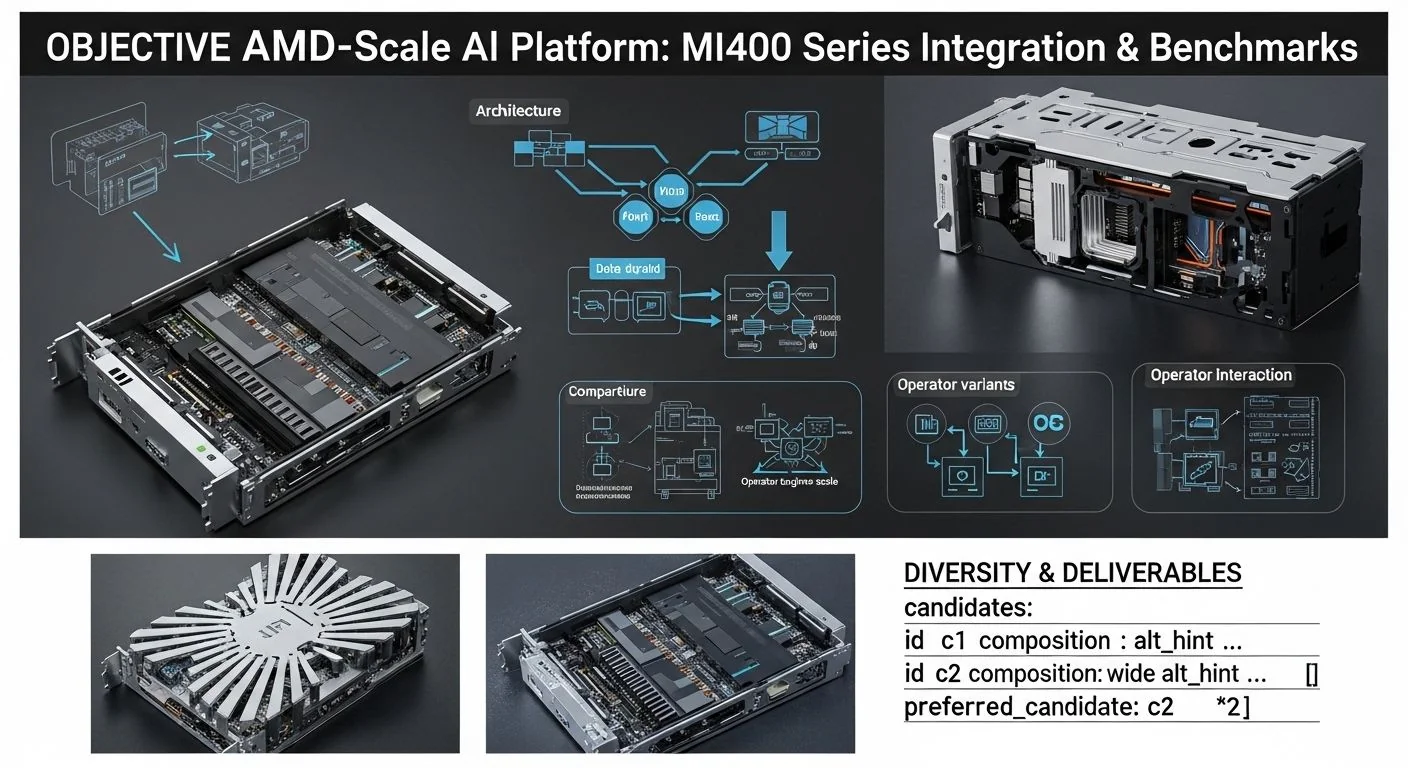
Problem statement: Deploying rack-scale AI infrastructure with AMD Helios and the MI400 series requires engineering clarity on integration, performance characteristics, and operational failure modes to meet strict SLOs in production.
Promise: This article provides an evidence-led, implementation-first guide to integrating MI400-class accelerators (exemplified by MI455X) into an AMD Helios rack-scale AI platform, shows how to model and measure performance (including an actionable benchmark suite (see CXL 4.0 latency benchmarks & checklist)), and gives deploy-time checklists and diagnostics for production runs.
Failure scenario (brief): A multi-node Helios rack, configured as a 3 exaFLOPS-class inference cluster, reports unpredictable tail latencies (p95/p99 spikes) under production traffic. Root causes can include device firmware mismatches, PCIe/CXL topology misconfigurations, thermal throttling of HBM4 stacks, or fabric-level congestion. The guidance below walks you through detection, mitigation, and prevention.
Executive Summary
TL;DR: AMD Helios integrates MI400-class accelerators into a rack-scale fabric to deliver exaFLOPS-class AI when configured with correct power, thermal, fabric, and memory topology; validate using the provided benchmark patterns and operational checks.
- Key takeaway 1: Treat HBM4 memory bandwidth and interconnect (CXL/UALink/photonic fabric) as first-class capacity constraints — they frequently dominate p95/p99 behavior.
- Key takeaway 2: Use hybrid benchmarking (theoretical peak → microbench → application‑level MLPerf/trace replays) to isolate compute vs. memory vs. fabric bottlenecks.
- Key takeaway 3: For rack-scale aggregation to reach ~3 exaFLOPS (in INT8/FP16 aggregation), design for worst-case power and cooling margins and stitch fabrics (CXL 4.0, UALink or photonic interconnect) with explicit headroom for RDMA/congestion bursts.
- Key takeaway 4: Validate p95/p99 using closed-loop load testing that reproduces production arrival patterns; synthetic throughput numbers alone are insufficient for SLOs.
- Key takeaway 5: Instrument at device, host, and fabric levels (HBM4 counters, host perf, NIC RDMA metrics) and centralize metrics for correlated post-mortems.
Three quick Q→A pairs for direct answers:
- Q: Can Helios reach an aggregate 3 exaFLOPS within a rack? A: Yes — under INT8/FP16 aggregation with carefully provisioned accelerators, power, and interconnect, a single rack can be architected to approach multi-exaFLOPS-class inference; exact numbers depend on device peak-fp and utilization.
- Q: What is the primary limiter to scaling? A: HBM memory bandwidth and fabric congestion (RDMA/CXL) — not FLOPS alone.
- Q: Best first diagnostic for p99 spikes? A: Correlate device HBM utilization/temperature with NIC retransmits and scheduler queuing across hosts; start with device telemetry and NIC counters.
How AMD Helios Rack-Scale AI Platform: MI400 Series Integration & Benchmarks Works Under the Hood
High-level architecture: AMD Helios is a rack-scale architecture that combines EPYC host CPUs, MI400-series accelerators (example device: MI455X in our patterns), high-bandwidth HBM4 memory per accelerator, and a low-latency fabric (CXL 4.0, UALink/photonic interconnects) to present an aggregated accelerator pool for AI workloads. In production the platform has three logical layers:
- Host control plane: EPYC Venice series (Zen 6) servers run orchestration, device drivers, and scheduling services.
- Accelerator layer: MI400 family devices with HBM4 stacks and onboard DMA engines exposed via PCIe/CXL and vendor runtime.
- Fabric layer: Rack fabric for accelerator-to-accelerator and host-to-accelerator communication using a combination of CXL 4.0, RDMA, and either UALink/advanced Ethernet or photonic links for multi-rack scale.
Data movement and compute flow (textual diagram):
Host (EPYC Venice) ⇄ PCIe/CXL Fabric ⇄ MI400 Node (HBM4 + Compute) ⇄ UALink/Photonic Fabric ⇄ Other Racks
Key protocols and bottlenecks: See detailed bandwidth and CXL analysis: CXL 4.0: Bandwidth Doubling, Bundled Ports & Multi-Rack Memory Fabrics
- HBM4 memory bandwidth (per-device): primary limiter for memory-bound kernels (attention, embedding lookups). Monitor stack-level bandwidth counters and sustained throughput.
- CXL 4.0 for memory pooling and low-latency fabric-attached memory semantics; cross-host memory operations can hide or reveal latency/consistency constraints.
- RDMA/UDP/TCP over UALink or photonic interconnect used for parameter synchronization and gradient exchange; congested fabrics increase p95/p99 significantly.
Note on the MI455X exemplar: throughout this article we use MI455X as a reference MI400-series device for capacity planning. The methods and diagnostics apply to any MI400-class card; where we present numeric models, we label them as theoretical or measured accordingly.
Implementation: Production Patterns
This section walks a production engineer from a basic integration to advanced scaling patterns, with error handling and optimization notes.
Basic: Rack bring-up checklist
- Inventory & firmware parity: Ensure host BIOS, EPYC Venice microcode, PCIe/CXL root complex firmware, and MI400 firmware versions are compatible. Record all versions in CMDB.
- Power and cooling validation: Run a power ramp test to peak accelerator draw and verify power delivery and PDU headroom. For HBM4-heavy workloads plan +20–30% headroom from nominal peak.
- Driver and runtime: Install vendor runtime (e.g., AMD ROCm/Instinct runtime or vendor-supplied stacks), verify device visibility (lspci, vendor tool), and run smoke tests: device query, minimal kernel launch, and memory bandwidth microbenchmark.
- Fabric topology validation: Enumerate CXL links, RDMA NIC paths, and confirm path MTU and ECN settings on switches.
Advanced: Multi-node allocation & utilization
Pattern: Partition the rack into logical zones for training (NVLink 5.0 multi‑GPU fabric analysis) vs inference. Inference zones prioritize deterministic tail latency and use reserved device pools with colocated host schedulers; training zones accept higher throughput but involve more dynamic allocation.
Error handling & diagnostics
Essential checks on error paths:
- Device fails to enumerate: check PCIe link width/speed reporting; validate slot diagnostics and BIOS IOMMU settings.
- Intermittent p99 spikes: correlate device telemetry (temperature, HBM ECC counters), NIC retransmits, and host context-switch rates during the window of the spike.
- Memory errors (HBM ECC): throttle workload, capture logs of ECC corrected vs uncorrected events, and schedule a controlled drain for replacement/testing.
Optimization: tuning for HBM4 and CXL
- Place memory-critical layers (embeddings, key-value stores) on local HBM4 using memory-aware allocation APIs — avoid fabric-attached memory for hot working sets.
- Batching and batching windows: tune batch sizes for target p95 latency; for inference, use adaptive batch windows with queue-based admission control to protect p99.
- Network QoS: aggressively reserve RDMA/CXL lanes for model synchronization or inference traffic to prevent transient congestion.
Code example: Slurm prologue for topology-aware allocation
# Slurm prologue that checks device health and exports topology to job
#!/bin/bash
# prologue.sh - run as root on node startup
set -e
# query devices
/opt/amd/bin/miquery --list >/var/log/miquery-$(date +%s).log || exit 1
# check HBM errors
/opt/amd/bin/mihealth --check-hbm || { echo "HBM health fail" >&2; exit 2; }
# export topology for job scheduler
/opt/amd/bin/mitopology --json > /etc/cluster/last_mitopology.json
exit 0
Code example: PyTorch distributed launch (example pattern)
# Example: launching a distributed training job across 8 hosts with 4 MI4xx per host
# Ensure environment has vendor runtime, RCCL/NCCL bindings
export NCCL_SOCKET_IFNAME=ib0
export NCCL_IB_DISABLE=0
export UCX_NET_DEVICES=mlx5_0:1
python -m torch.distributed.run --nnodes=8 --nproc_per_node=4 --rdzv_id=job123 \
  --rdzv_backend=c10d --rdzv_endpoint=${MASTER_ADDR}:29400 train.py --config=config.yaml
Comparisons & Decision Framework
When choosing a rack-scale accelerator and fabric approach, weigh these structured trade-offs:
- Local HBM4 vs Fabric-Attached Memory (CXL): Local HBM4 gives predictable low-latency reads; CXL enables larger working sets but with higher and variable latency. Use local HBM4 for hot inference state; use CXL for cold or elastic memory pools.
- UALink / advanced Ethernet vs Photonic fabric: Electrical fabrics (UALink, RDMA/UDP) are mature and cheaper to operate at rack scale; photonic interconnects reduce latency and power at multi-rack scale but increase design complexity and require bespoke switch hardware. For single-rack exaFLOPS designs, high-bandwidth electrical fabrics are sufficient; for multi-rack >3 exaFLOPS expansion, evaluate photonic options.
- MI400 vs alternative accelerators (e.g., other vendor GPUs): MI400-series typically trades on tight HBM integration and vendor-optimized kernels; choose based on software ecosystem, peak mixed-precision performance, and integration with EPYC Venice host capabilities.
Decision checklist (quick):
- Define target precision and workload (FP32, BF16, INT8) → determines required FLOPS and HBM throughput.
- Model per-device peak compute and sustained memory bandwidth; convert to required device count for throughput target with 70–85% utilization factor.
- Provision power and cooling with +20–30% margin above modeled peak.
- Choose fabric: single-rack (CXL 4.0 + UALink) vs multi-rack (add photonic fabric / higher-radix fabrics) and plan QoS.
- Run microbenchmarks and application replays before production traffic to validate p95/p99.
For fabric evolution beyond electrical links, see our analysis of optical interconnects and when to adopt them: an architecture and benchmarking guide to photonic fabric AI. Also compare UALink evolution for electrical fabrics: UALink 2.0: AI Fabric Evolution Beyond NVLink.
Failure Modes & Edge Cases
Below are common failure modes with concrete diagnostics and mitigations.
-
HBM4 thermal throttling
- Symptoms: sustained drop in memory bandwidth counters, increased kernel latency, device thermal alarms.
- Diagnostics: capture device temperature, HBM stack sensor readings, and memory bandwidth counters aligned to the time window.
- Mitigation: restrict sustained allocation sizes, increase fan curve, lower device power limits, or migrate hot working sets to other devices while planning hardware maintenance.
-
CXL fabric congestion
- Symptoms: variable latency on memory accesses, increased RDMA retransmits, metadata ops timing out.
- Diagnostics: switch counters (queue depth, congestion notifications), CXL error counters, and NIC statistics.
- Mitigation: isolate high-bandwidth flows using QoS, throttle background analytics during peak windows, or re-architect to localize hot state.
-
PCIe link negotiation issues after firmware update
- Symptoms: device falls back to x4 instead of x16 or lower link speed reported.
- Diagnostics: check dmesg for PCIe link messages, use lspci -vv to inspect link status.
- Mitigation: roll back firmware if necessary, re-seat cards, and ensure BIOS/firmware versions match vendor compatibility matrix.
Performance & Scaling
This section shows how to measure, model, and tune for p95/p99 and throughput across Helios racks.
Measurement methodology
Use a three-stage approach:
- Theoretical peak calculation — compute device peak FLOPS and HBM peak bandwidth (from vendor spec).
- Microbenchmarks — measure memory bandwidth (read, write, copy), device compute kernels (GEMM at target precision), and fabric latency (small RDMA/put/get) under controlled loads.
- Application replay — use production traces or MLPerf-style workloads to measure end-to-end p50/p95/p99 and throughput.
Theoretical modeling example
Modeling pattern (annotated):
- Per-device theoretical peak (F_peak): provided by vendor (FLOPS at target precision).
- Sustained efficiency factor (η): empirically 0.6–0.85 depending on kernel (memory vs compute bound).
- Effective per-device throughput = η × F_peak.
- Aggregate rack throughput = N_devices × effective per-device throughput.
Example: to approach 3 exaFLOPS in aggregate for INT8 inference assume F_peak_INT8 per device = X TFLOPS. Then N = (3e3 TFLOPS) / (η × X). Replace X with the device’s published INT8 peak to compute required count. Note: this aggregated number is for throughput (inference ops/sec) and does not guarantee p99 latency.
Practical microbenchmarks
Recommended microbenchmarks (and why):
- Memory bandwidth: sustained read/write tests across HBM4 stacks to detect throttling.
- Small-message RDMA latency: one-way and round-trip microsecond measurements for synchronization-sensitive workloads.
- GEMM sustained kernel: measure at target precision for realistic matrix shapes.
Sample command-line memory bandwidth test (vendor tool pattern):
# vendor-memory-bandwidth-test --device 0 --size 8G --pattern read
# measure and log results per device
/opt/amd/bin/memory_bandwidth_test --device=0 --size=8G --mode=read \
  --iterations=20 --outfile=/tmp/bw_device0.log
p95/p99 guidance
For inference SLOs, measure both queueing latency and device execution latency. Typical budgets:
- p50: dominated by execution time given batch size.
- p95: often 1.5–2× median when the device executes memory-bound kernels under partial contention.
- p99: susceptible to fabric congestion or thermal events; can be 3–10× median unless mitigated by admission control.
Engineering policy: define a p99 SLA headroom and enforce admission control so that device utilization target remains in a range (40–80%) that delivers acceptable tail latencies. For hard real-time inference use a dedicated device pool with lower utilization target.
Monitoring KPIs
- Device KPIs: HBM utilization (GB/s), device occupancy, temperature, ECC events.
- Host KPIs: CPU steal, context switches, I/O wait, kernel scheduler latencies.
- Fabric KPIs: RDMA retransmits, path latency, queue depth, CXL error counters.
Production Best Practices
Security and testing: For secure firmware artifact management and signed images see Post‑Quantum Encryption Pipelines: 2026 AI Data Security Benchmarks.
- Firmware provenance and signing: only deploy signed firmware; retain firmware images in a secure artifact store with immutable manifests.
- Network isolation for management fabrics: separate management and data plane, encrypt control traffic (mTLS), and restrict CXL management access to a trusted control plane.
- Fuzz and chaos testing: include device-level chaos (thermal, induced ECC errors, link flaps) in pre-production to harden runbooks.
Rollout and runbooks:
- Canary pattern: progressive rollouts that take devices online in small increments while running representative load at each step.
- Runbook example steps for p99 spike:
- Identify affected device(s) via telemetry correlation.
- Isolate and drain jobs from affected devices to spare devices using scheduler migration policies.
- Run health checks (firmware, HBM ECC counters, device self-test).
- If unresolved, schedule maintenance replacement and keep diagnostics for post-mortem.
- Post-incident: store full telemetry window and root-cause analysis artifacts in a centralized post-mortem repository.
Further Reading & References
- AMD product & integration documentation (vendor site): search for MI400 series and Helios platform brief for device-level specs and firmware guidance.
- JEDEC/HBM4 documentation (memory architecture and expected bandwidth characteristics).
- CXL Consortium specifications for CXL 4.0 and fabric-attached memory semantics; includes design considerations for memory pooling and latency trade-offs.
- For fabric options and multi-rack scaling using optics, consult our exploration of photonic interconnects: architecture and benchmarks for photonic AI fabrics.
- For latency-sensitive inference and CXL memory pooling trade-offs see: practical latency benchmarks and checklist for CXL 4.0 inference.
- On fabric evolution and alternatives to NVLink, including UALink 2.0 discussions, see: our analysis of UALink 2.0 and AI fabric evolution.
Primary sources and docs (recommended):
- AMD MI400-series product brief and firmware release notes (vendor site).
- JEDEC HBM4 technical brief.
- CXL 4.0 specification and implementation notes.
- EPYC Venice (Zen 6) integration notes for PCIe/CXL root complex.
Closing notes from the MAKB editorial desk
Designing rack-scale AI with AMD Helios and MI400-class accelerators is a systems engineering exercise: the largest gains come from treating memory bandwidth and fabric design as first-order constraints and validating every assumption with layered benchmarks. Use the checks, benchmarks, and runbooks above as living artifacts — evolve them with firmware revisions and production telemetry. For deeper fabric-level design and when to choose optics over electrical fabrics, refer to our photonic fabric guide and CXL 3.1 fabric-attached memory notes: CXL 3.1 Fabric-Attached Memory for AI Data Centers.
Author: MAKB (Lead Editor & Senior Principal Engineer-Author). Tactical, evidence-led guidance for systems and performance engineers building the next generation of rack-scale AI infrastructure.


